Mattucci ConstructionCRM guide
New in the CRM

From quote to signed contract, on your phone

Build a quote, email it, and get back a signed construction agreement with a certificate of completion. Every screenshot below comes from a real end-to-end run on the live system on October 16, 2026, using a test customer.

You1
Quote
Measure, pick a template, edit any line or price.
You2
Send
Email the quote. It has an Accept button.
Customer3
Accept
Name, email, one checkbox. The agreement is built.
Customer4
Sign
Read, consent, emailed code, sign on any phone.
You5
Countersign
Sign once in CRM, Agreements.
Automatic6
Signed PDF
PDF + certificate emailed to everyone.
19templates (10 residential, 9 commercial)
71price-book items, all editable
4 + donescreens for the customer
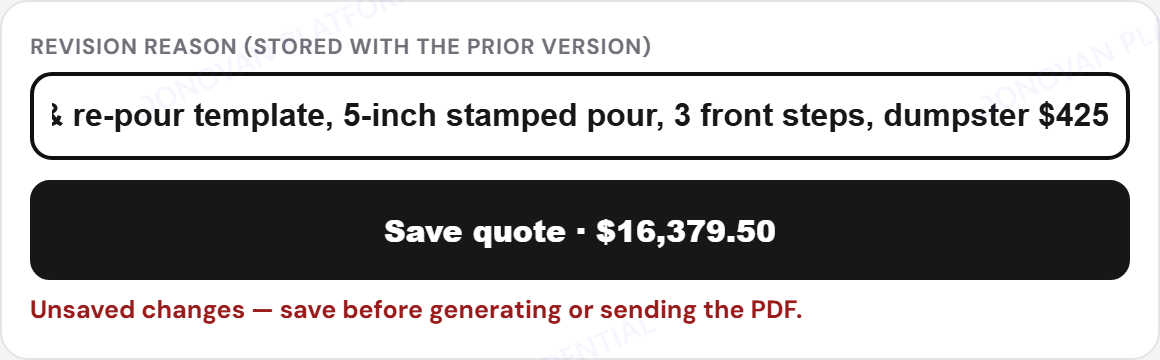
$16,379.50test job total
Step 1 · You

Build a quote

CRM → Quote Tool. Measure the job, then the quote builder lets you change anything before it goes out.
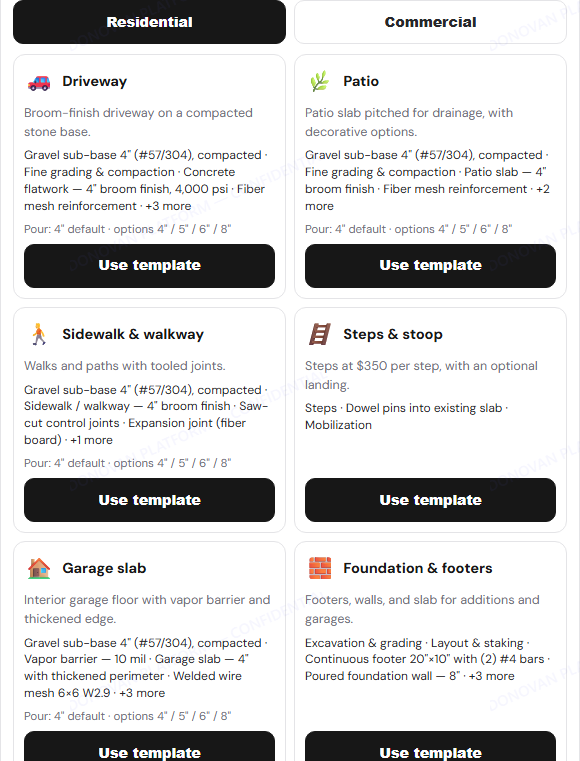
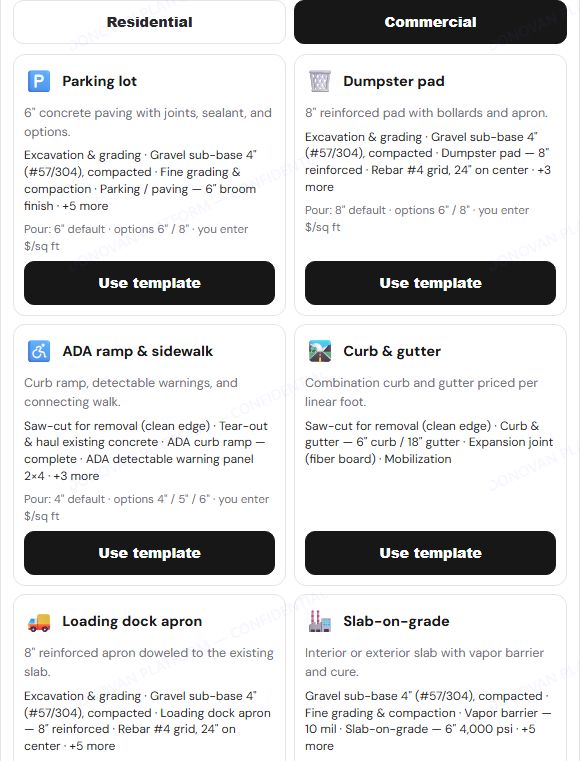
Residential & Commercial templatesDriveway, patio, steps, garage, tear-out and more; parking lot, dumpster pad, ADA ramp, curb, dock apron and more.
Price book you controlSearch 71 items. Change a price for this quote, or save it as your new default.
Drag-and-drop linesGrab the ⋮⋮ handle to reorder. Duplicate, delete, add notes.
Every price is editableQty, unit, unit price and label on every line. Amount = qty × price.
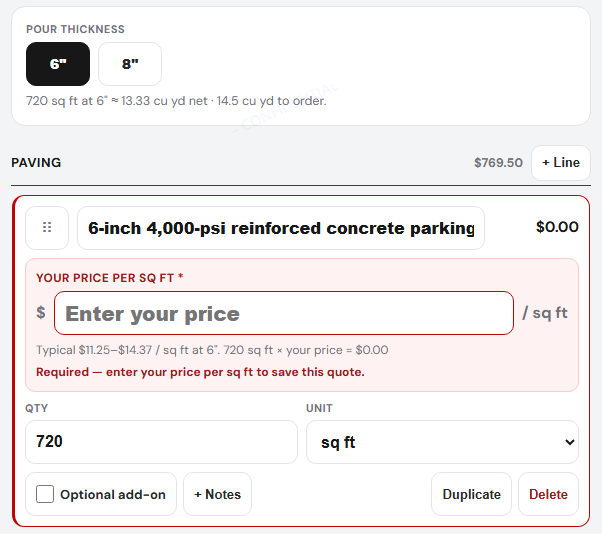
Parking lot 6" / 8"Commercial pours start at 6"; pick 8" in one tap.
Your $/sq ft on commercialCommercial work needs your own price per sq ft. It won't save or send until you enter it.
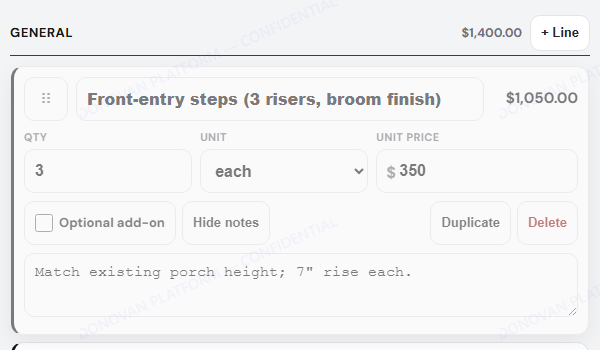
Steps × $350Add "Steps", type how many. Shows as "3 steps × $350".
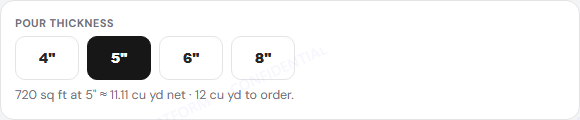
Thickness → yardage4" / 5" / 6" / 8" updates cubic yards and adds the upgrade line.
Deposit %, tax, terms, add-onsDeposit and balance update live. Optional add-ons show to the customer but stay out of the total.

1Pick how to measure

  1. Open Quote Tool.
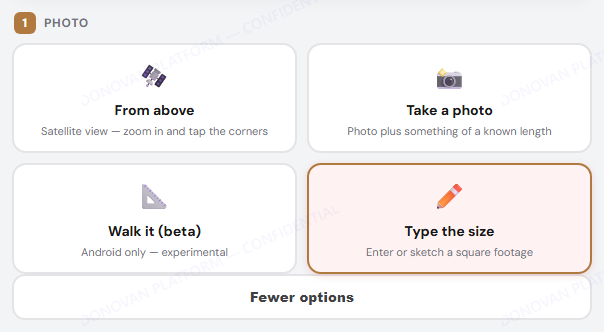
  2. Use From above (satellite) or Take a photo.
  3. Tap More options to type a size you already know (Type the size).
Step 1, measuring method choices with More options open
More options shows "Type the size" and "Walk it".

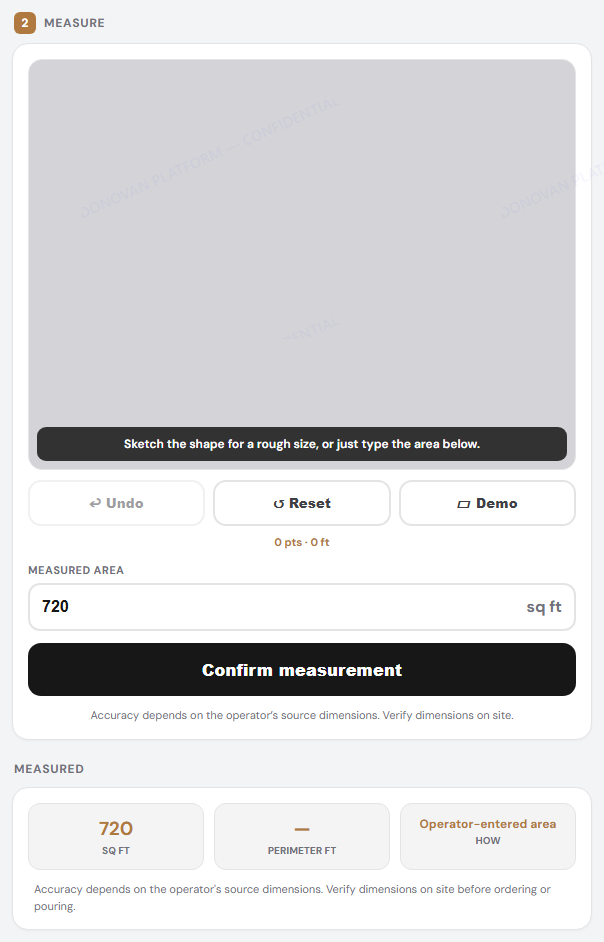
2Confirm the size

  1. Type the area (we used 720 sq ft) or sketch the shape.
  2. Tap Confirm measurement.
Measured area 720 sq ft confirmed

3Customer and job

  1. Pick the finish in Options (we chose Stamped, Ashlar Slate).
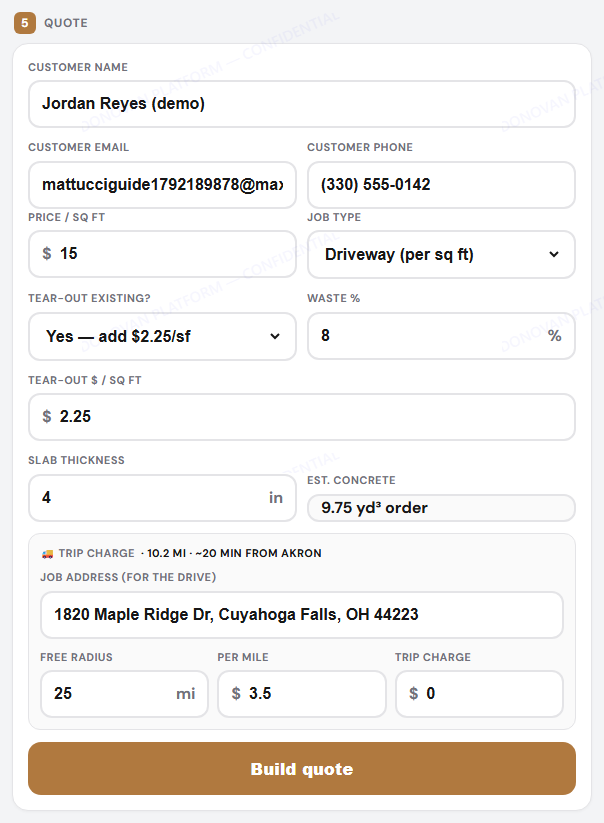
  2. Fill in name, email, phone, job type, tear-out and the job address.
  3. Tap Build quote.
Trip charge is automaticThe drive from Akron is measured from the job address. Inside the free radius it is $0.
Customer, job type, tear-out and trip charge fields

4Start from a template

New
  1. Tap Templates.
  2. Choose the Residential or Commercial tab.
  3. Tap Use template. Lines fill in from the measured size and your price book.
  4. You can still change every line afterwards.
Residential templates tab
Residential
Commercial templates tab
Commercial

5Commercial: thickness and your price

Commercial
  1. A parking lot starts at 6". Tap 8" for heavy trucks; the cubic yards update.
  2. Type Your price per sq ft on the red line. It is required: the quote will not save, make a PDF or send until it is filled in.
Why required?Commercial bids vary too much for a default. The tool shows a typical range but never guesses for you.
Parking lot template with 6 and 8 inch selector and required price field
Parking lot: 6"/8" and the required $/sq ft.

6Price book

New
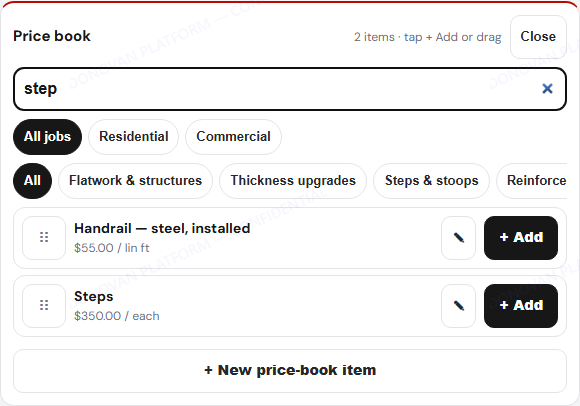
  1. Tap Price book and search (try "step", "8-inch", "rebar").
  2. Tap + Add (or drag the item) to put it in the quote.
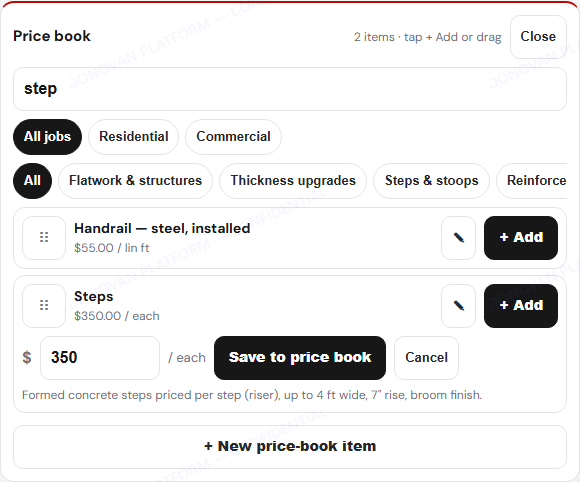
  3. Tap the ✎ pencil to change the saved price for future quotes.
Price book search for step
Search
Editing a price book price
Edit a saved price

7Steps × $350 and editing a line

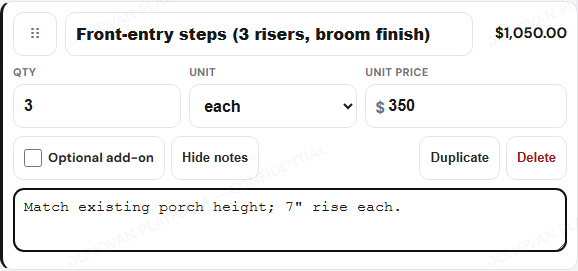
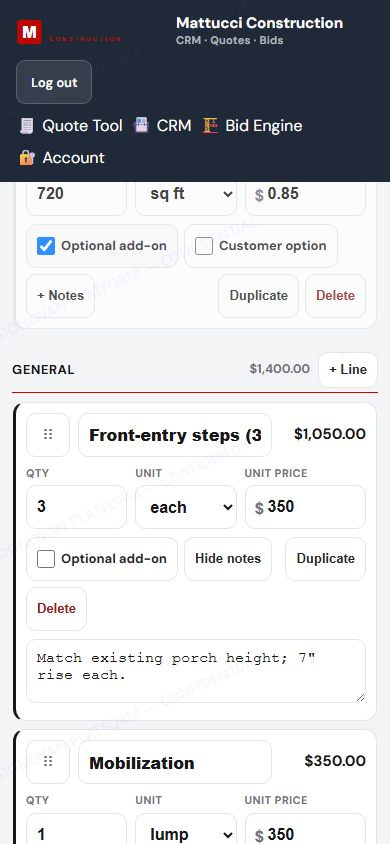
  1. After adding Steps, set Qty to the number of steps (3 = $1,050).
  2. Rename the line and add a note if you like.
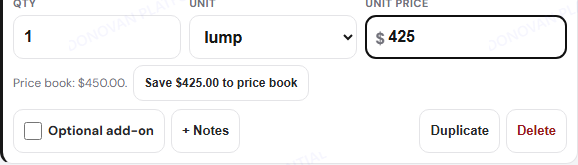
  3. Change any unit price. If it differs from the price book you get a Save to price book button. Skip it to change this quote only.
Steps line, 3 each at $350
Dumpster price changed from 450 to 425 with Save to price book button
This quote: $425. Price book stays $450 unless you tap Save.

8Drag to reorder

  1. Press and hold the ⋮⋮ handle.
  2. Drag the line up or down (or into another section) and let go.
  3. On a keyboard: focus the handle, press Space, then the arrow keys.
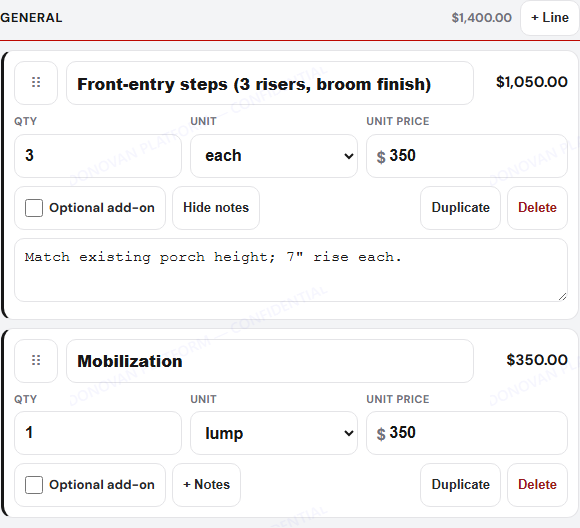
Steps line being dragged above Mobilization
Dragging
Steps now above Mobilization
Dropped

9Thickness, totals, terms

  1. Pour thickness: 4" / 5" / 6" / 8". The cubic yards and the upgrade line update.
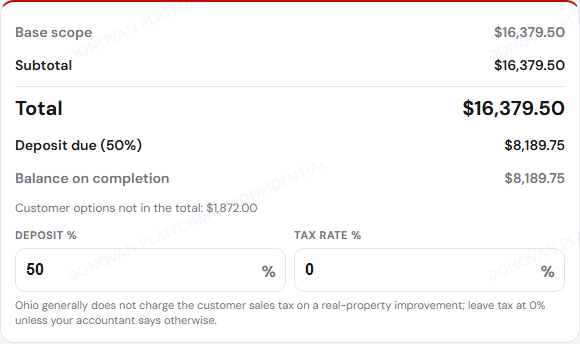
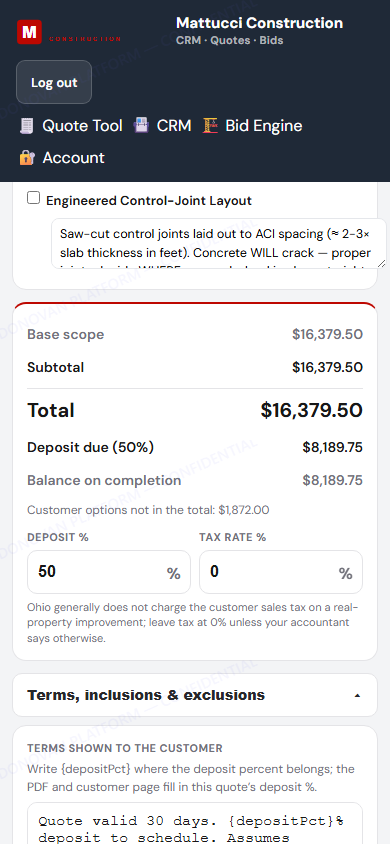
  2. Deposit % and Tax rate % sit under the totals. Balance updates live.
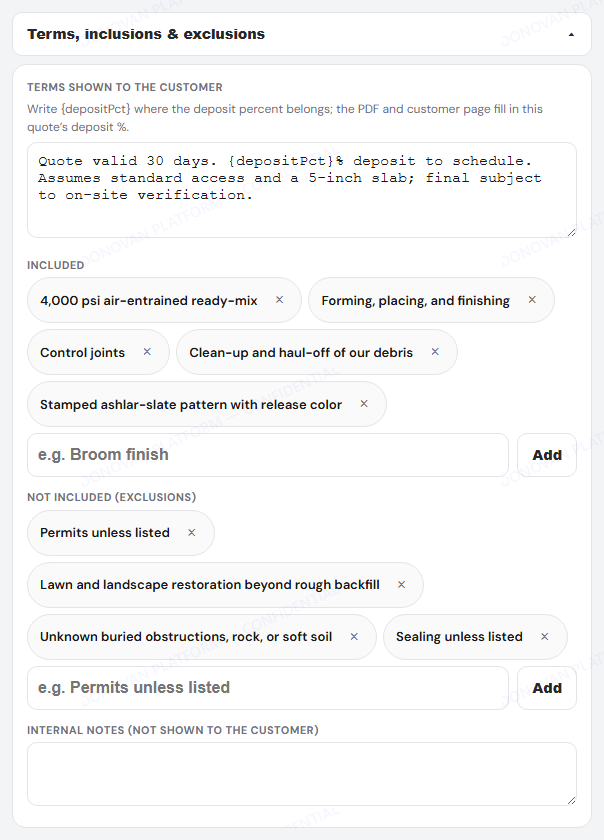
  3. Open Terms, inclusions & exclusions to edit what the customer reads. Write {depositPct} and it fills in the deposit.
  4. Tick Optional add-on on a line to offer it without adding it to the total.
5 inch pour, 12 cubic yards to order
Totals with 50 percent deposit
Totals
Terms, inclusions and exclusions editor
Terms

10Save, then PDF

  1. Type a short revision reason (kept with the previous version).
  2. Tap Save quote.
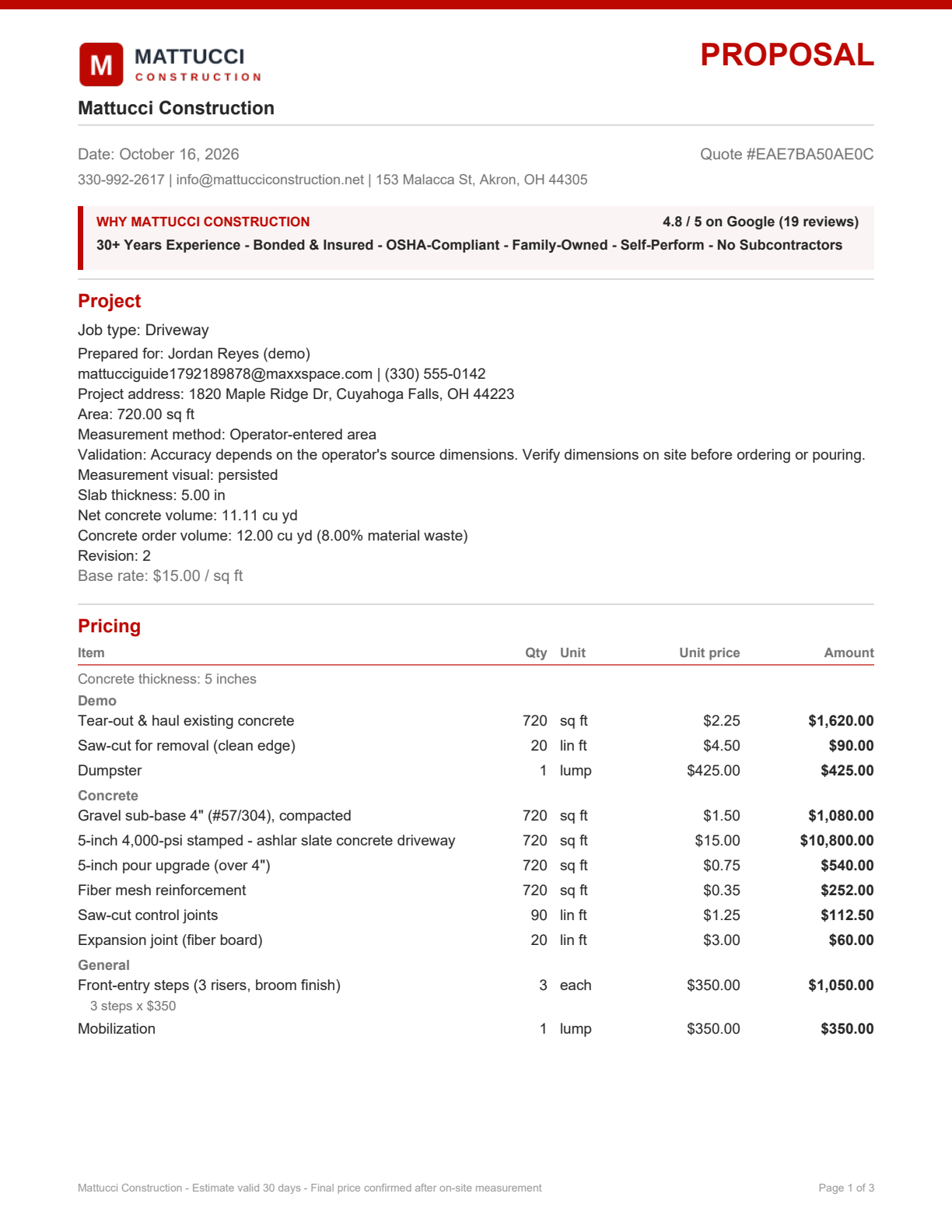
  3. Tap 📄 PDF to preview what the customer gets.
Kill switchIf anything misbehaves, setting NEXT_PUBLIC_QUOTE_BUILDER_V3_ENABLED=false on Render brings back the old simple price table. Quotes already built keep working.
Saved quote
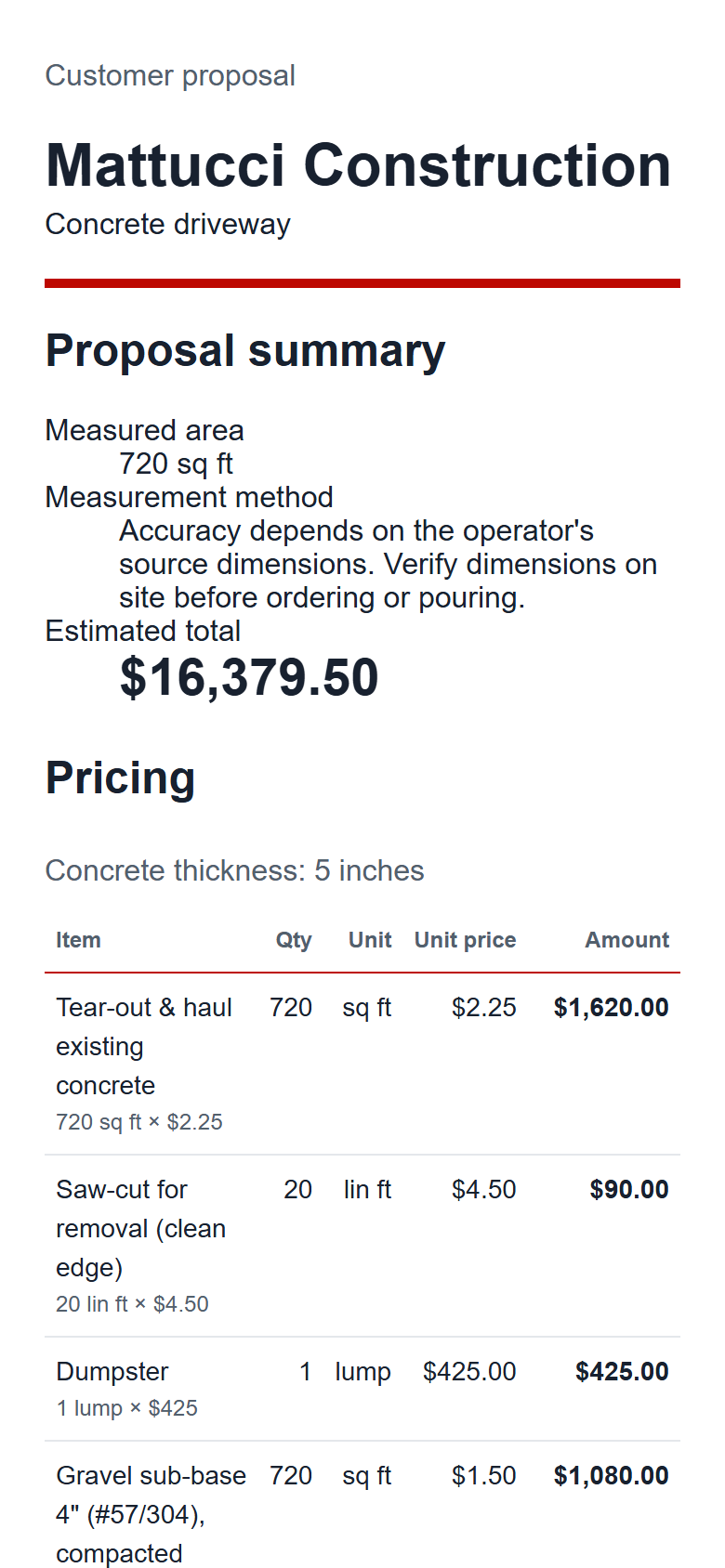
Quote PDF page 1 with qty, unit and unit price columns
PDF page 1: Item · Qty · Unit · Unit price · Amount, "3 steps × $350".

On your phone

The builder works one-handed. Lines stack, buttons are thumb-sized.
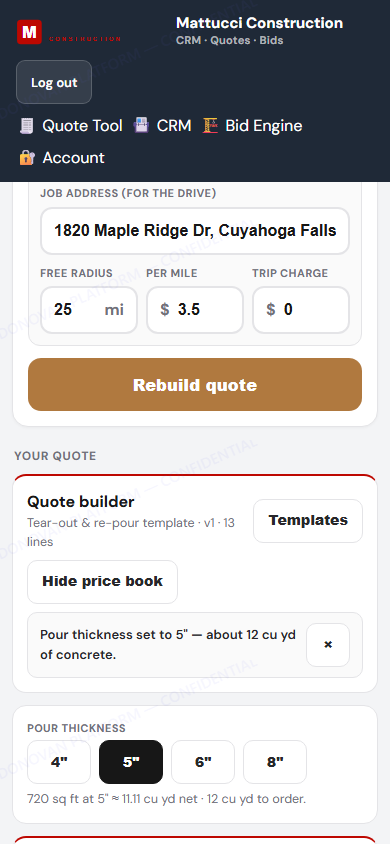
Quote builder on a phone
Builder
Steps line on a phone
Edit a line
Totals on a phone
Totals
Step 2 · You, then the customer

Send & accept

One tap sends the quote. The customer accepts from the email, and the agreement is created and emailed to them right away.
1Email the quote

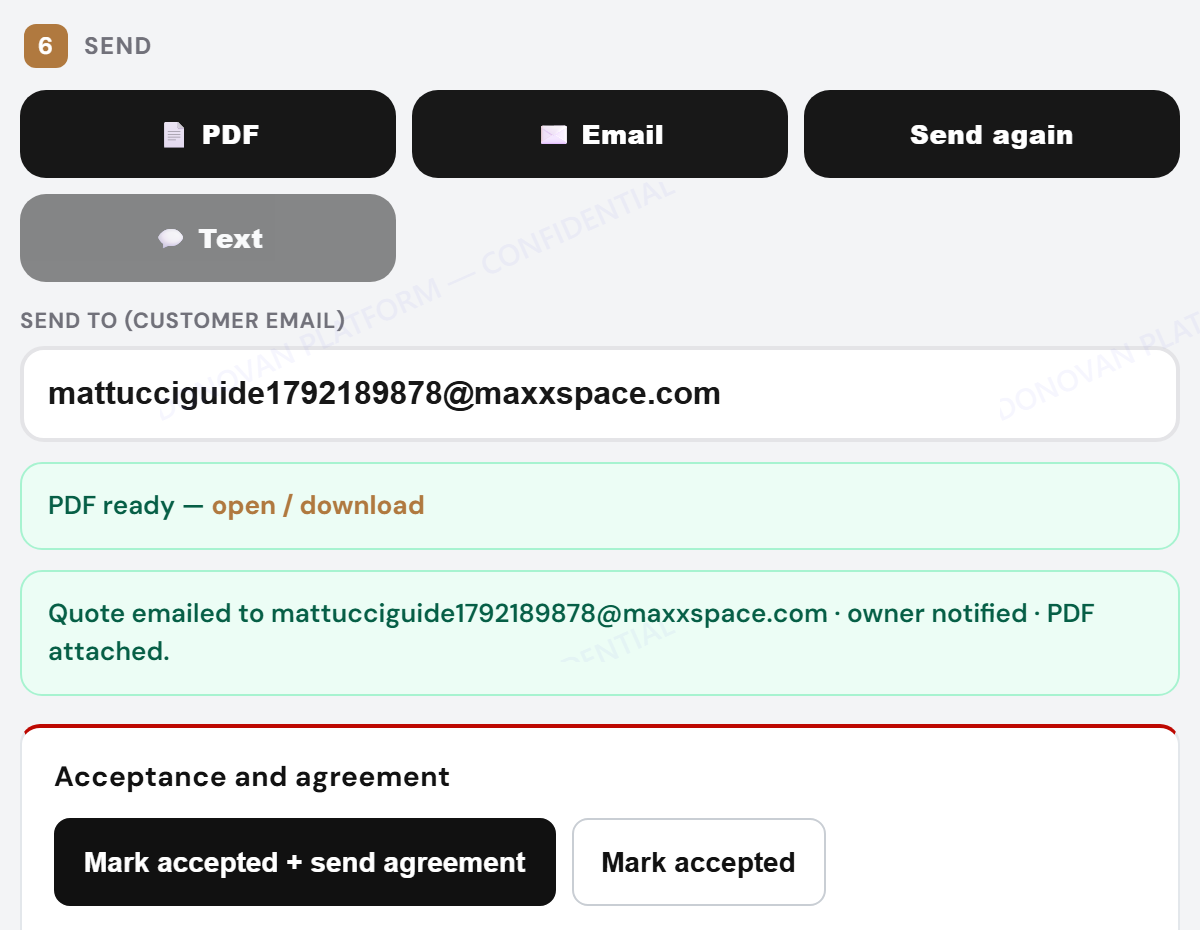
  1. In 6 Send, check the customer email and tap ✉️ Email.
  2. Below it are the manual buttons (for a phone or in-person yes):
  3. Mark accepted + send agreement: builds the agreement and emails the signing link.
  4. Mark accepted only, or Generate agreement later.
Who can use themOwners and admins (Mason, Steve, and any admin Mason adds).
Send step with email sent and manual agreement buttons

2What the customer gets

A branded email with the total, the PDF link and a big Review & Accept Your Quote button.
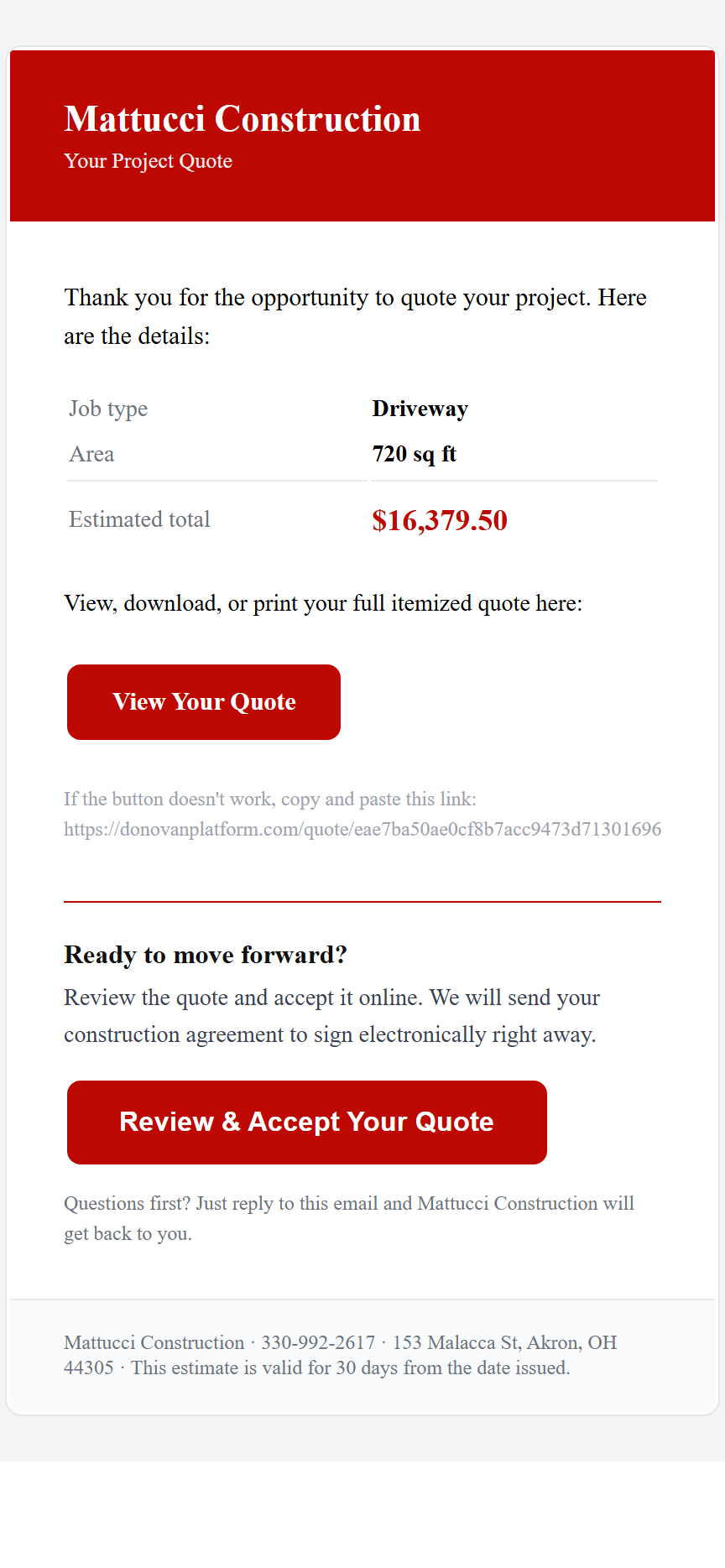
Quote email on a phone
Quote email
Customer quote page on a phone
Quote page
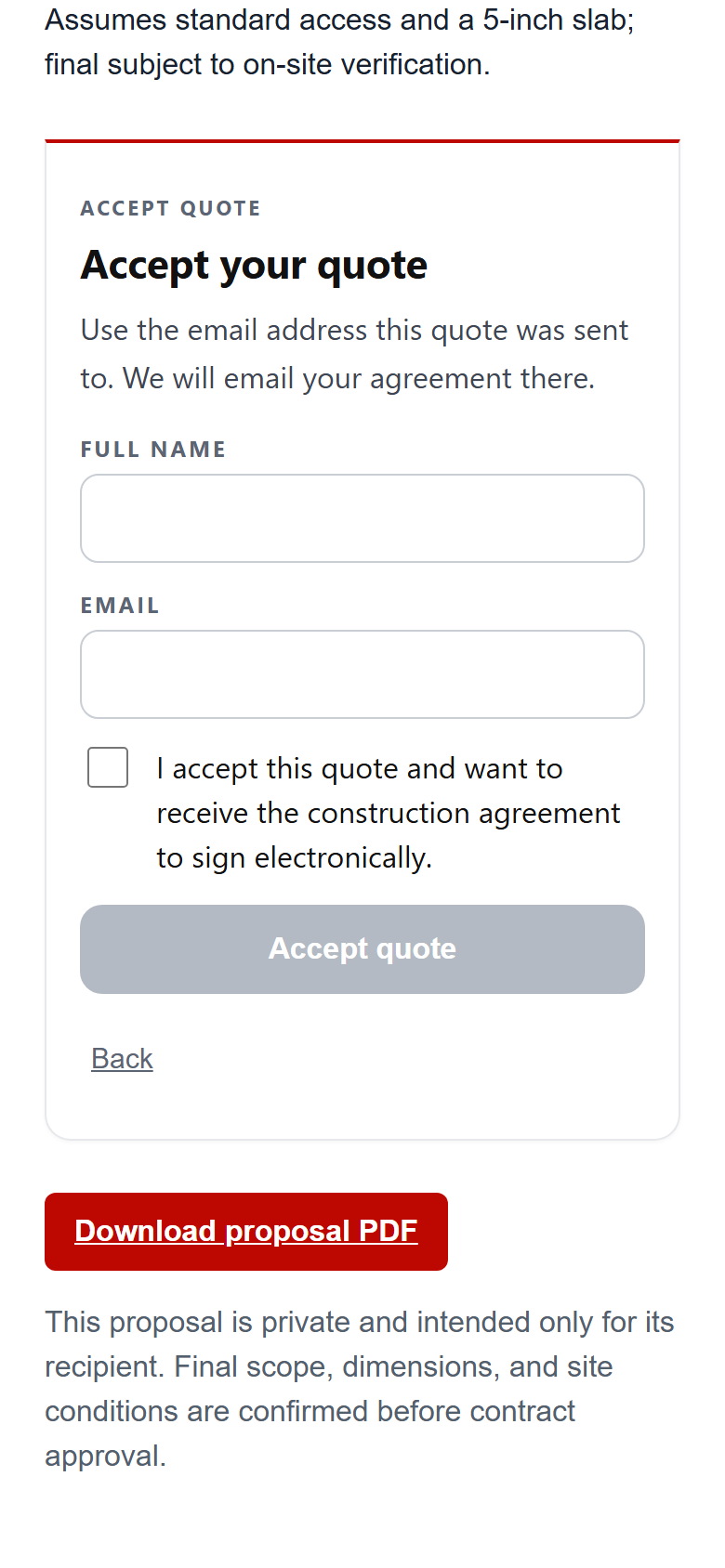
Accept panel on a phone
Accept panel

3Customer accepts

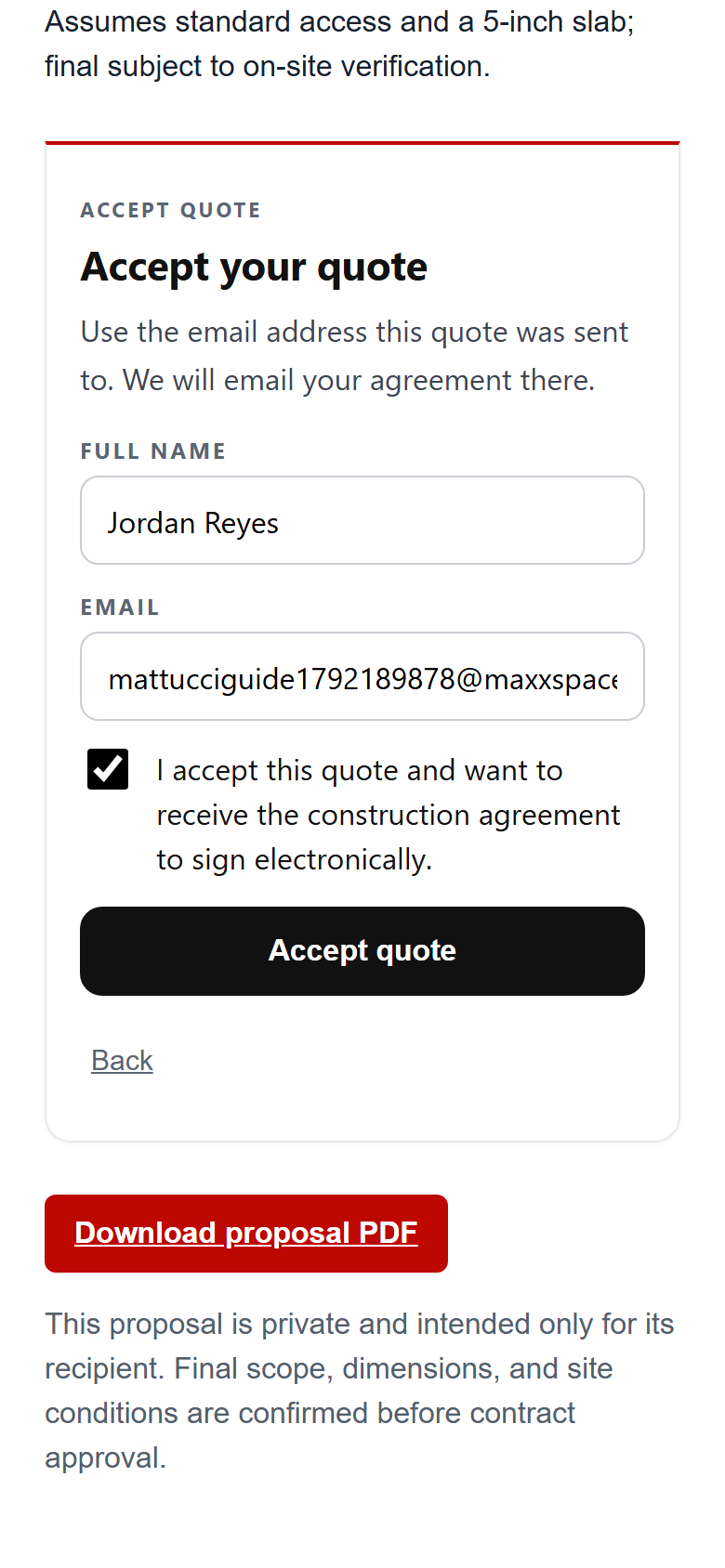
  1. They type their name and the email the quote went to.
  2. Tick the box and tap Accept quote.
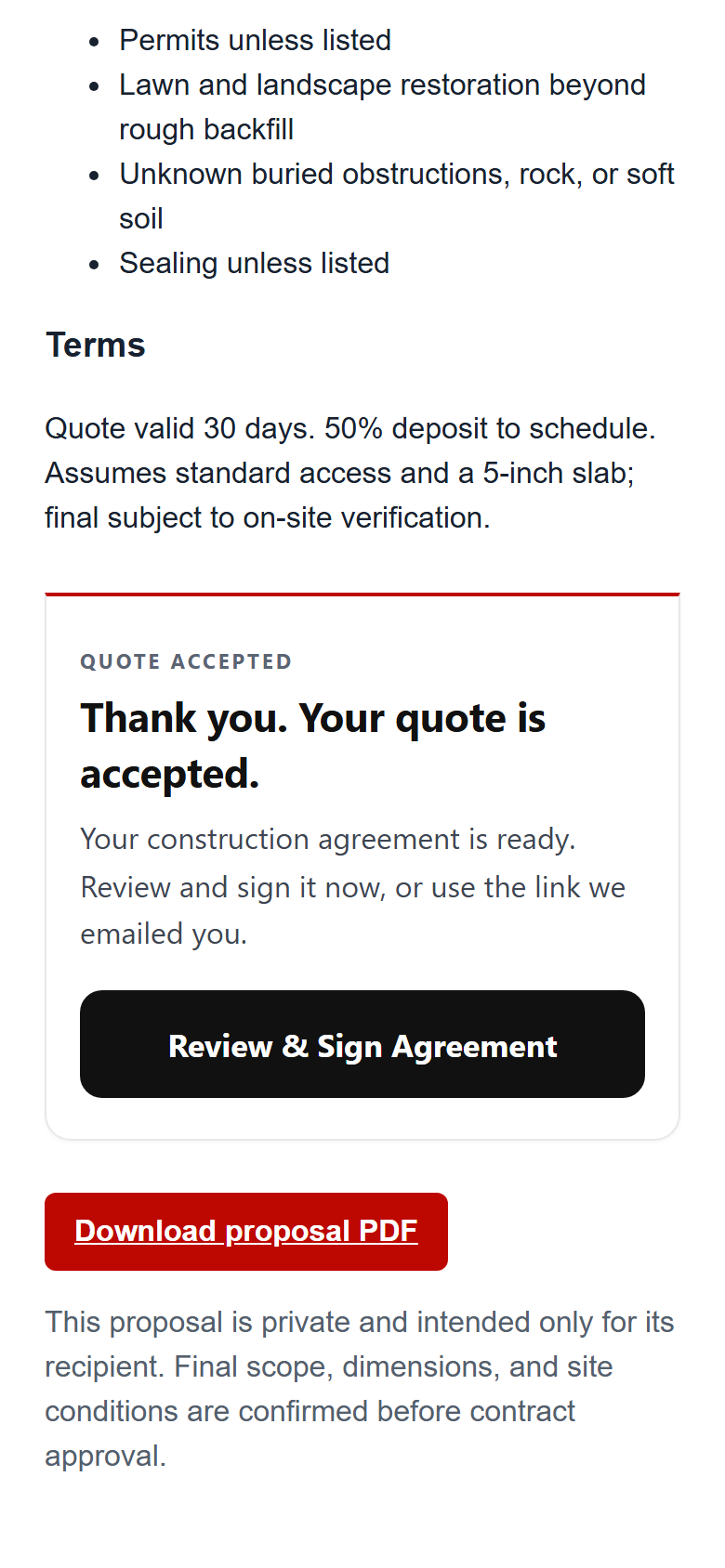
  3. The agreement is generated and they can sign right away, or from the email.
You are toldYou and Steve get a "Quote accepted" email. The agreement appears under CRM → Agreements.
Accept form filled
Fill in
Accepted, Review and Sign Agreement button
Accepted

4Track it in Agreements

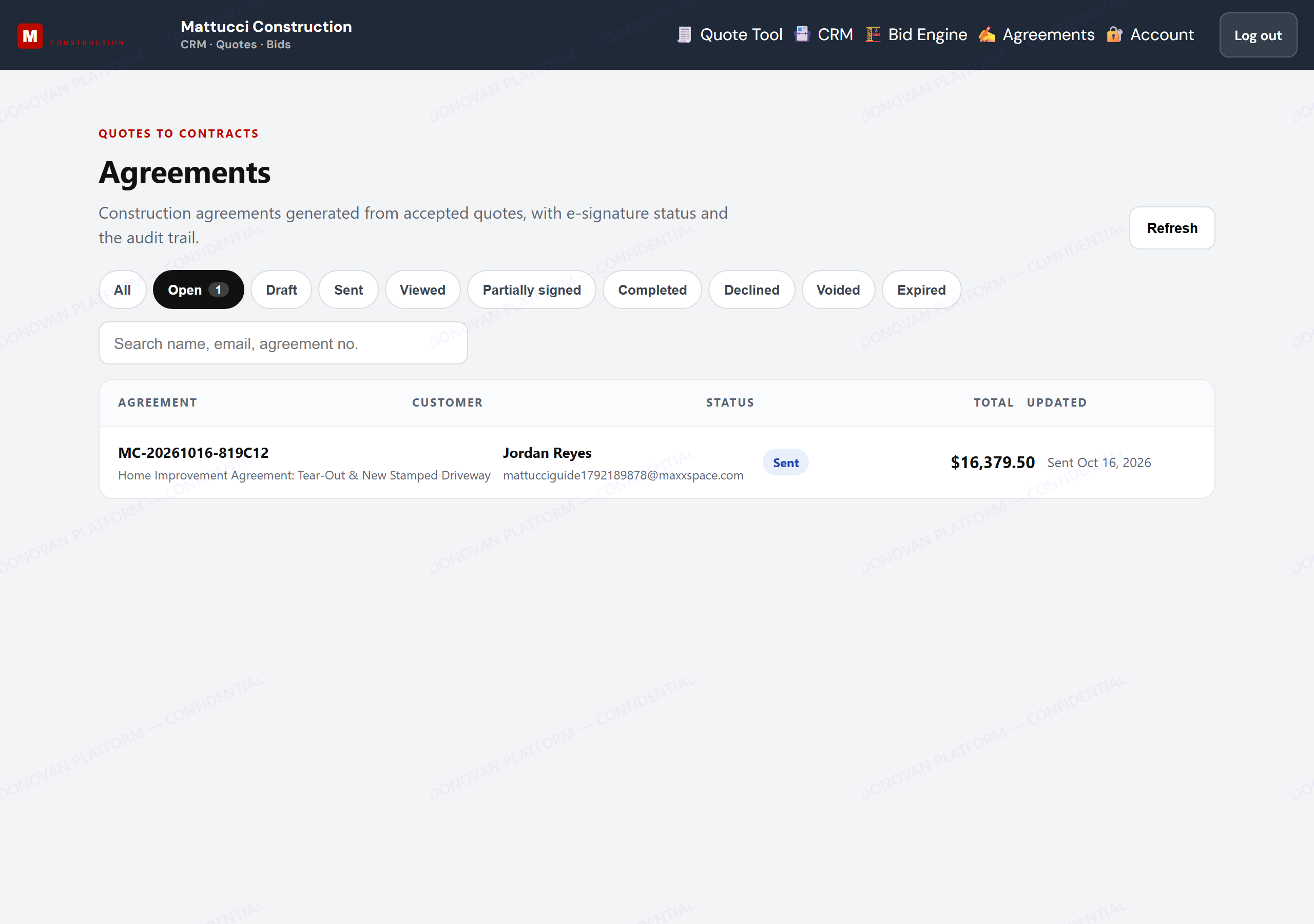
  1. CRM → Agreements lists every agreement with its status.
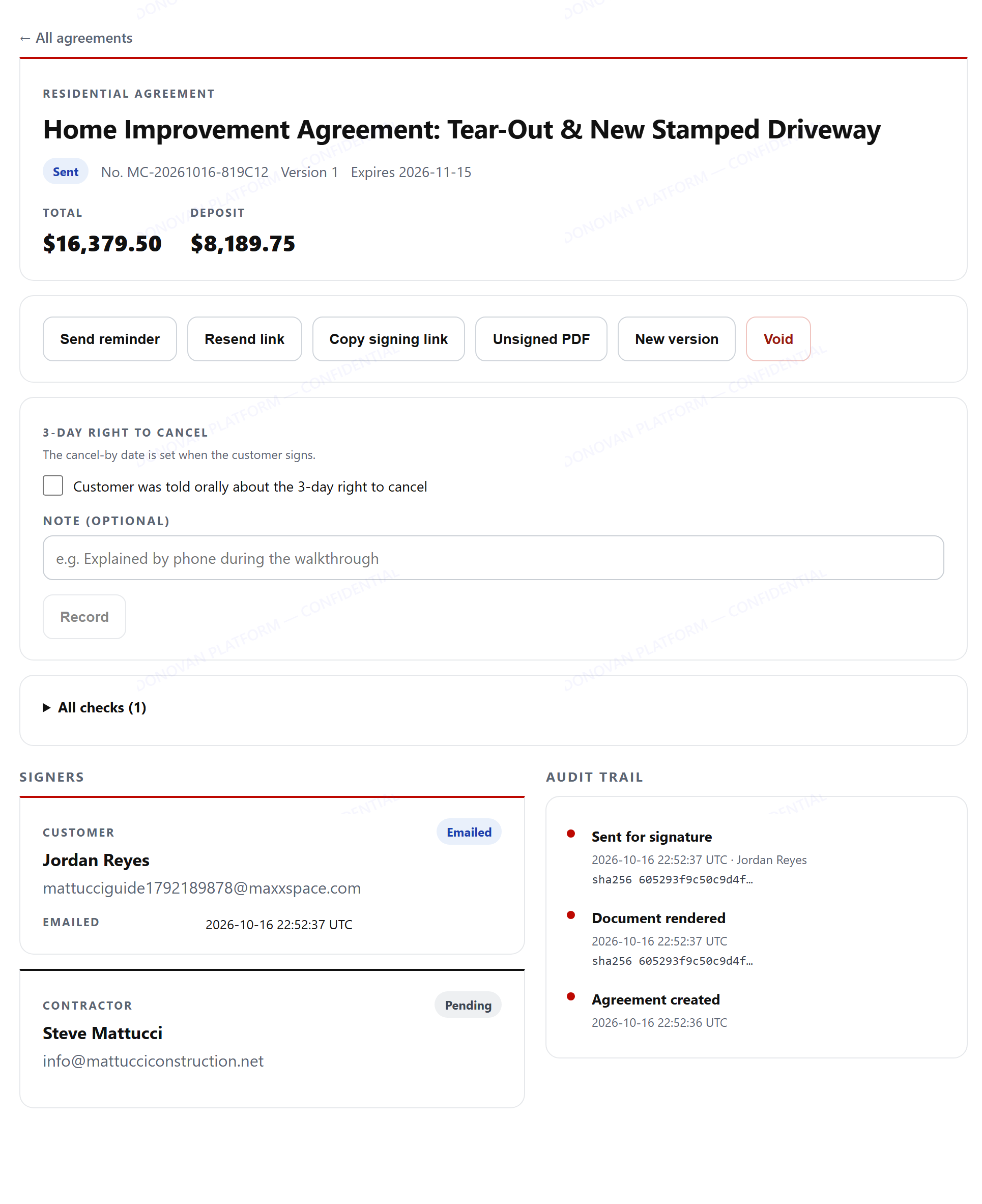
  2. Open one to see signers, the audit trail, downloads and actions.
Agreements list
Agreement detail, sent
Step 3 · Customer

The customer signs, on any phone

Four short screens plus a confirmation. No app or account needed.
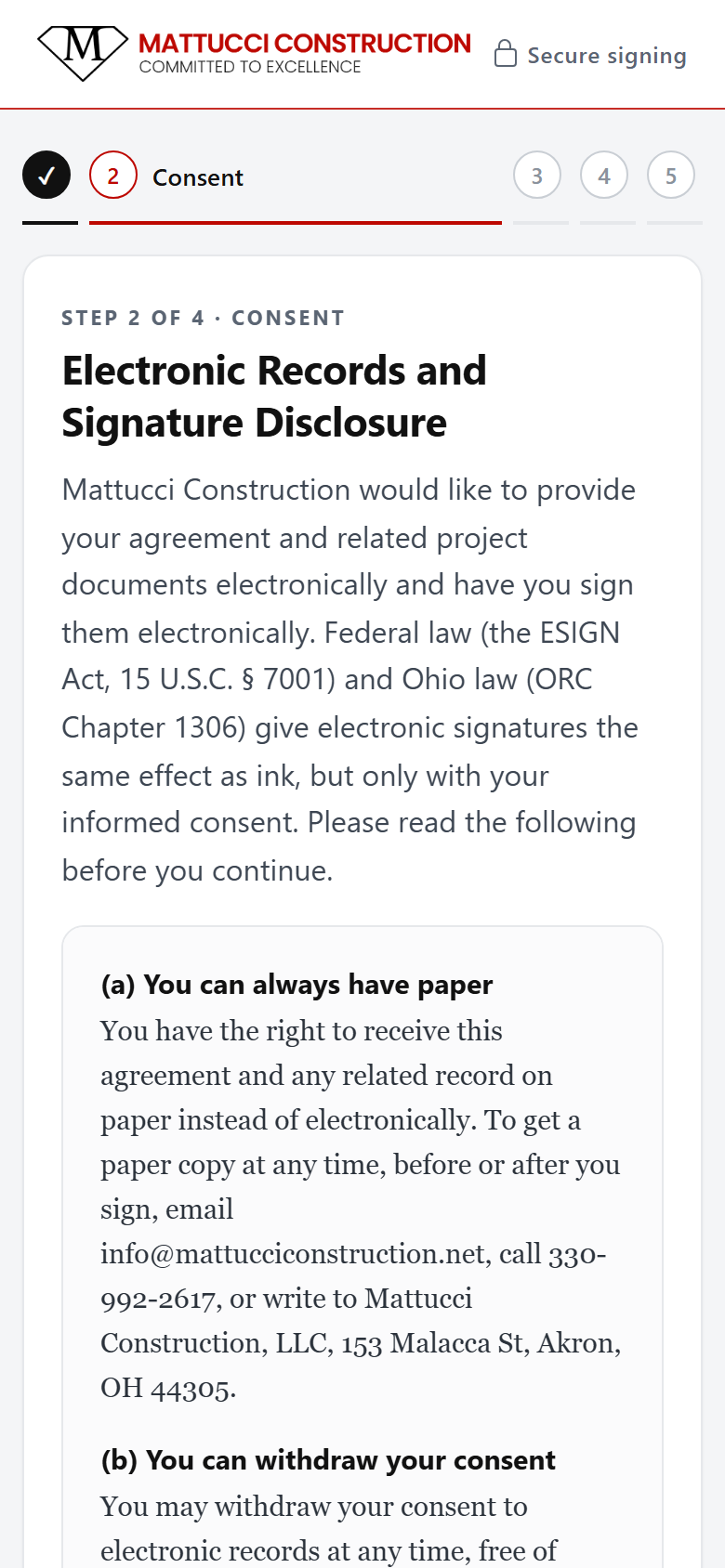
ConsentThe law requires the customer to agree to get the contract electronically before they sign it that way.
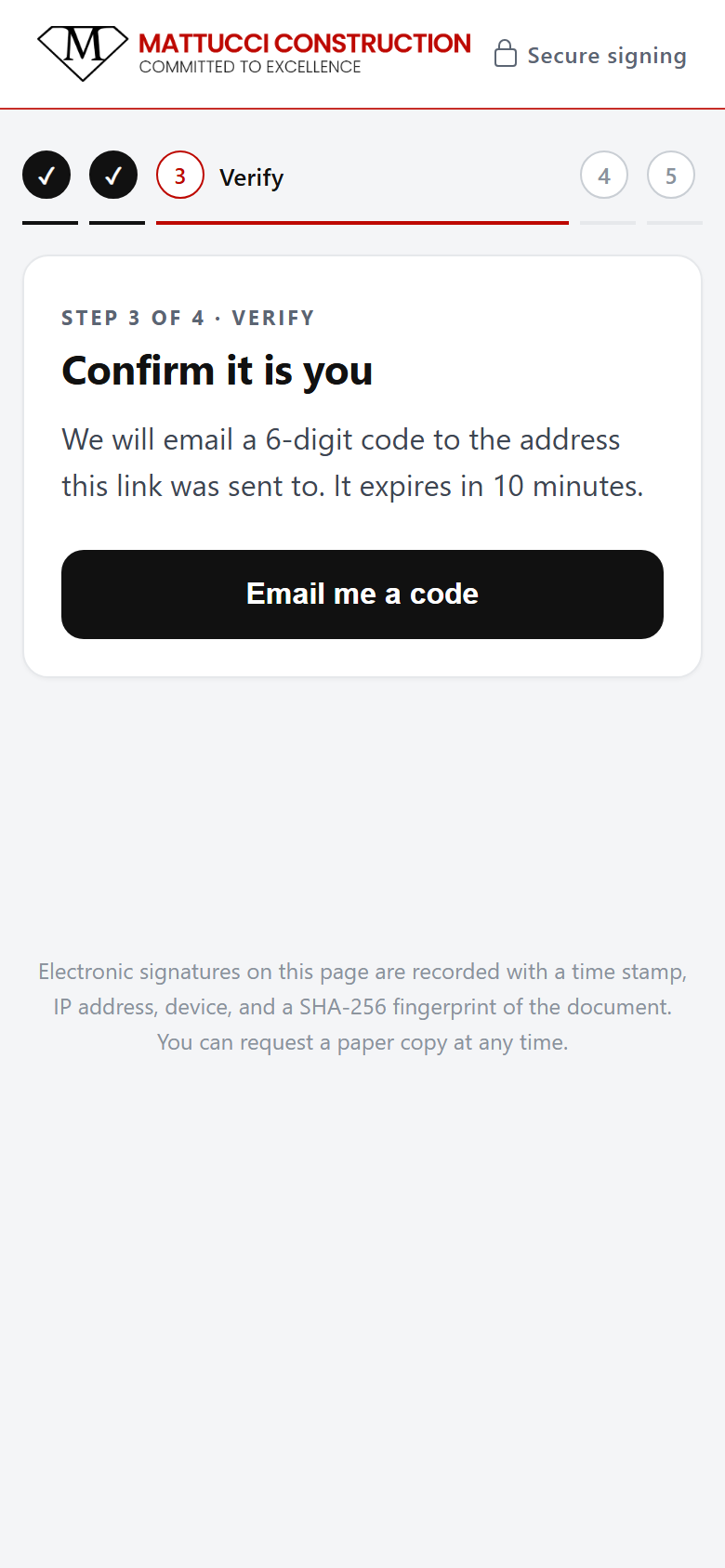
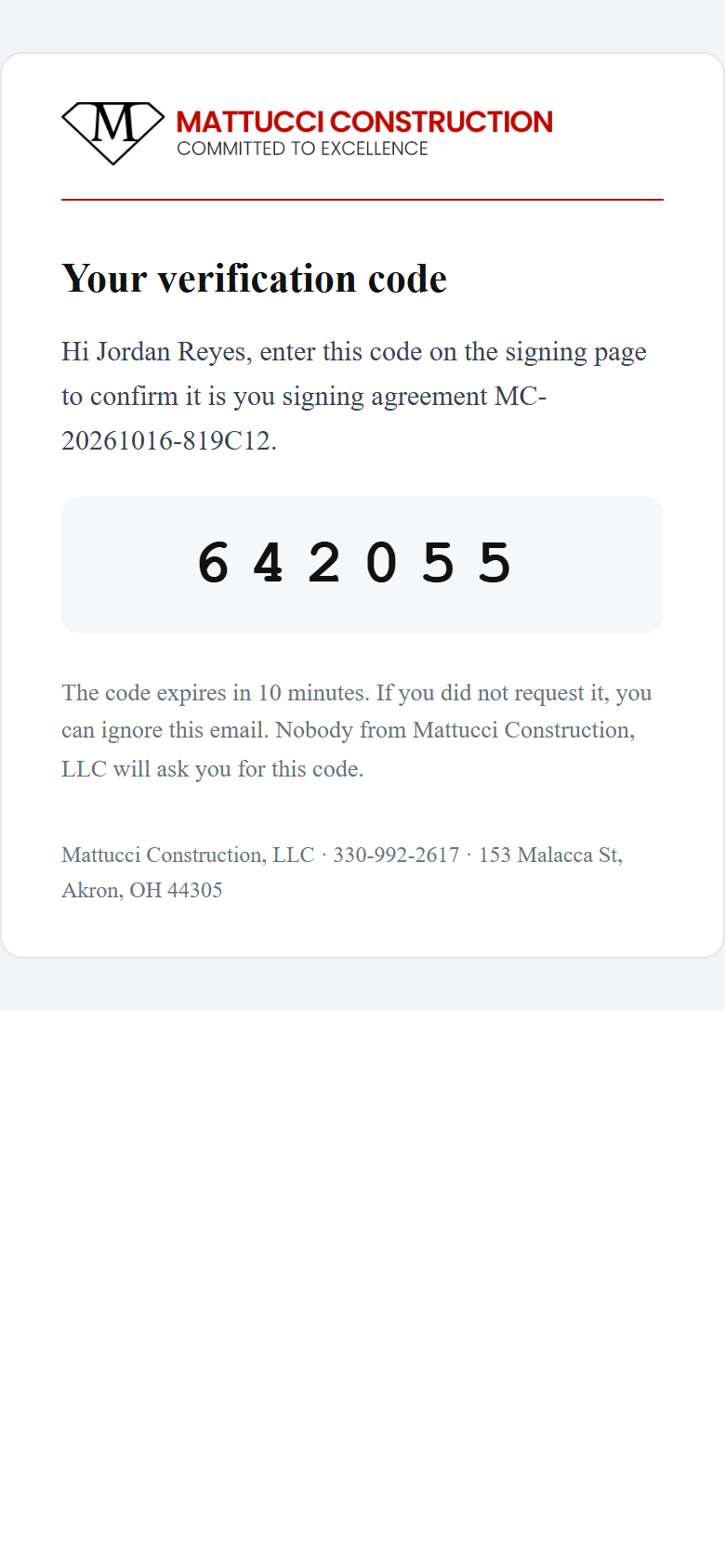
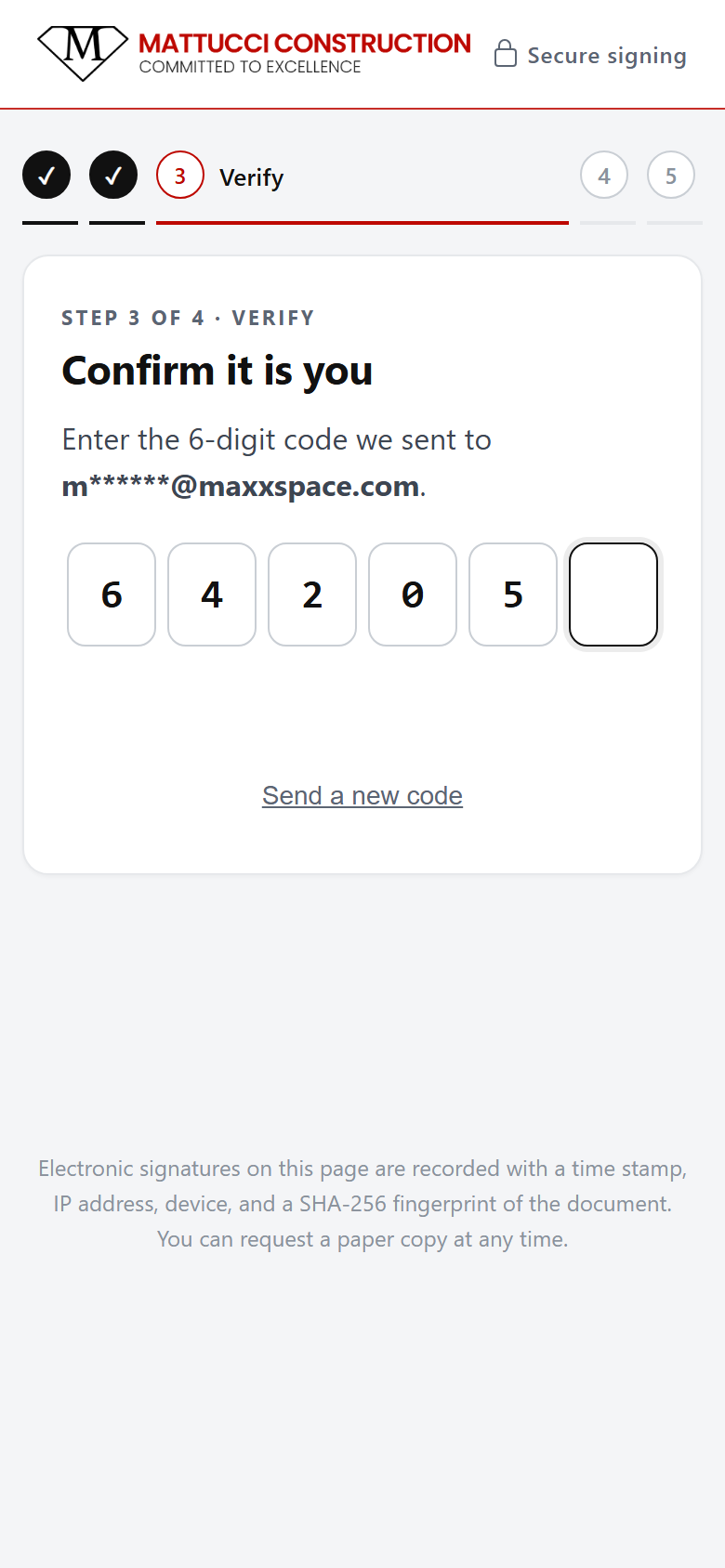
Emailed codeA 6-digit code sent to their email proves the person signing is the person you quoted.
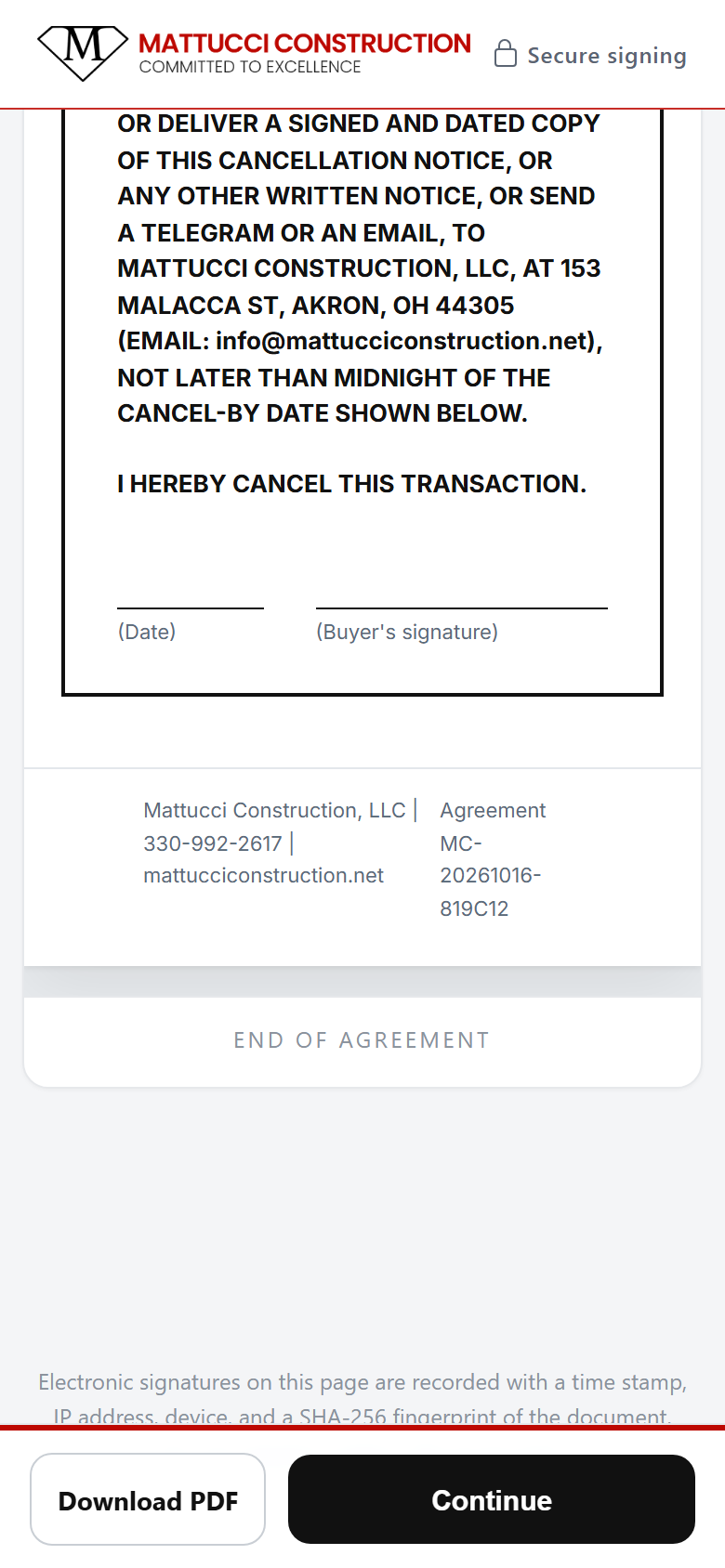
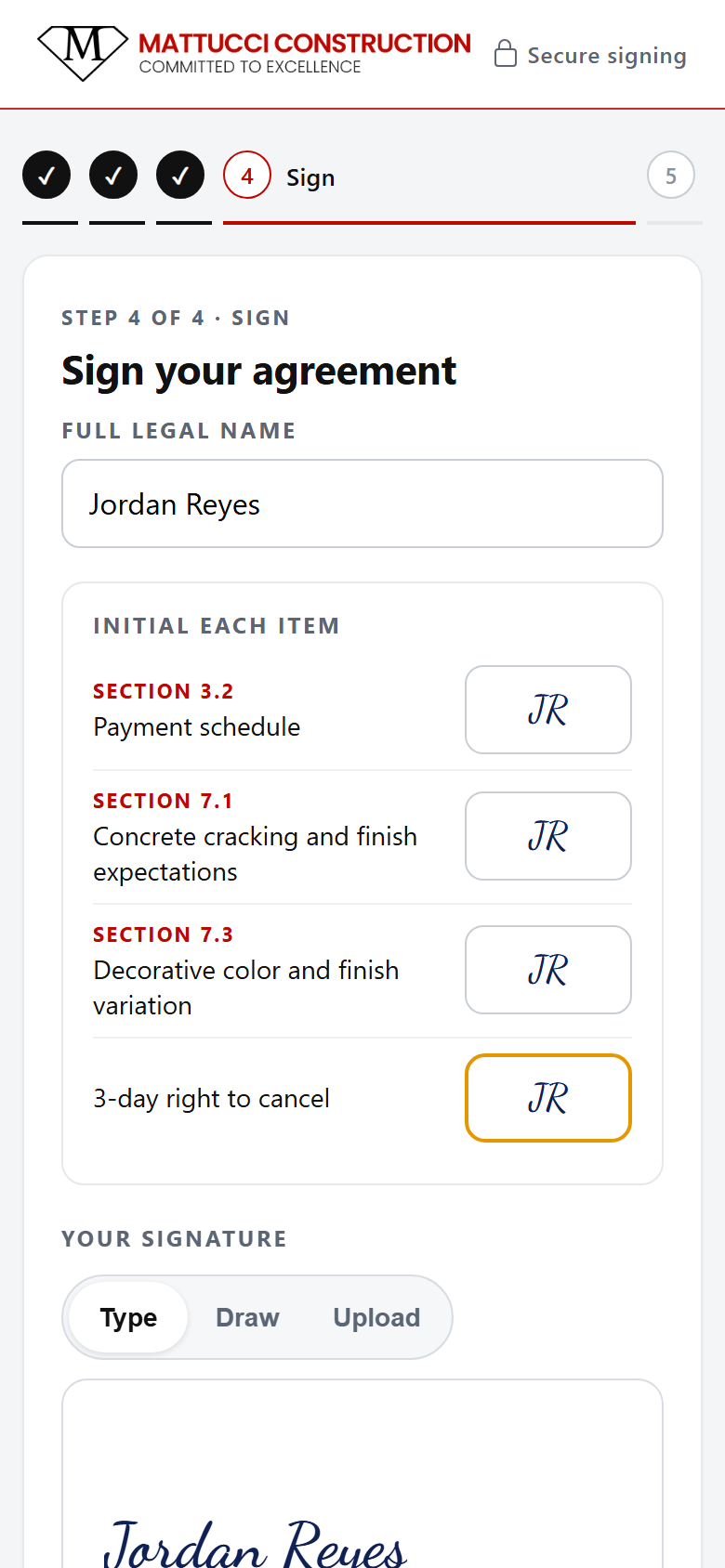
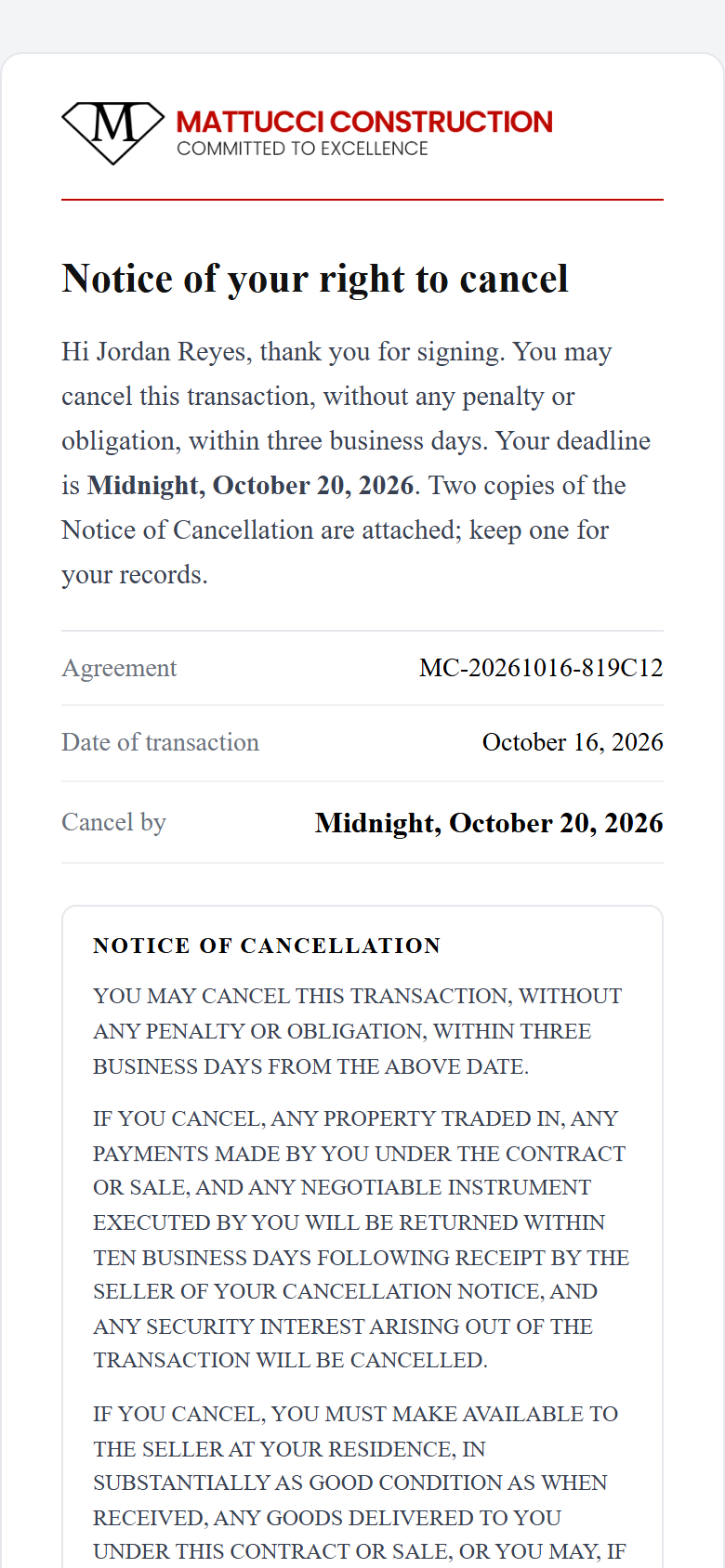
3-day right to cancelOhio home sales get a Notice of Cancellation. The system fills in the dates and emails it the moment they sign.
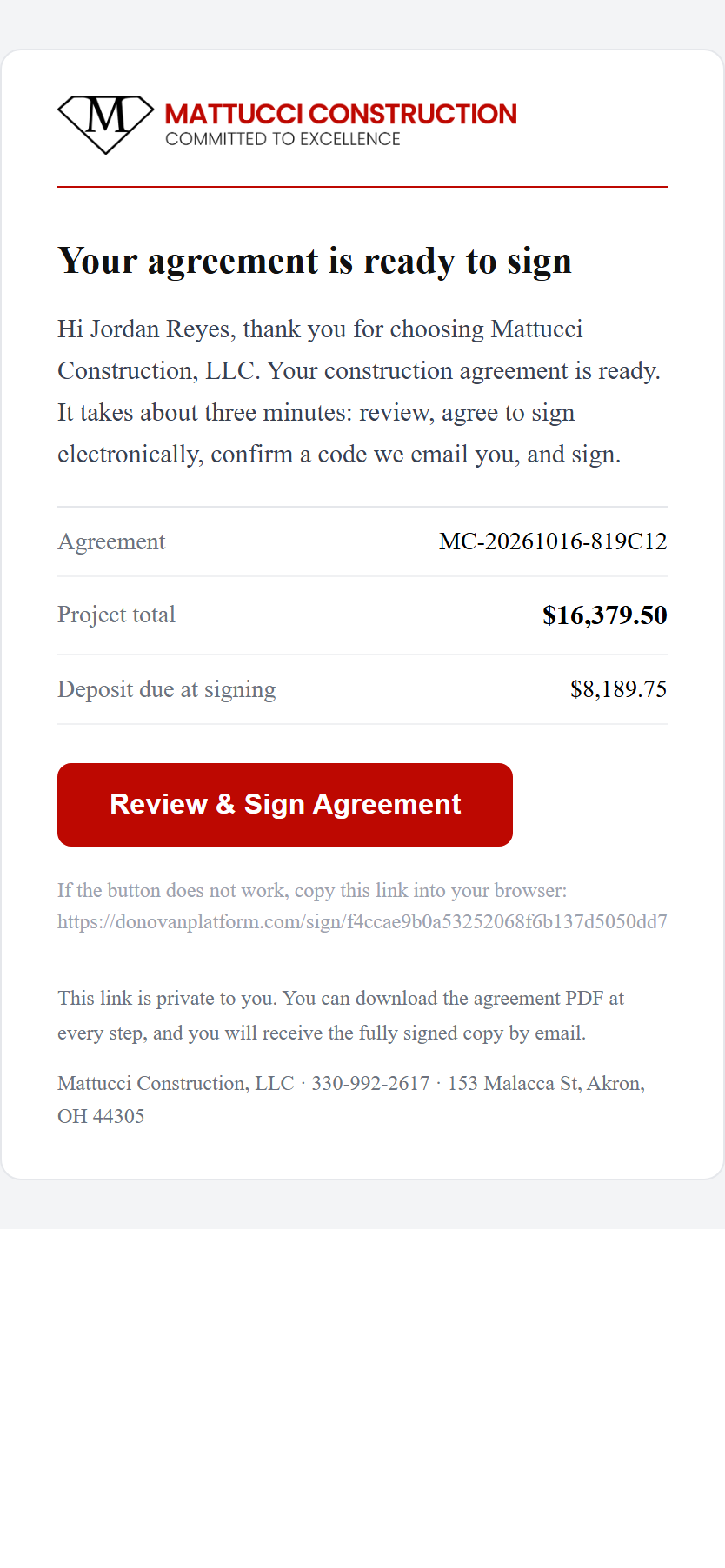
Signing request email
The signing email
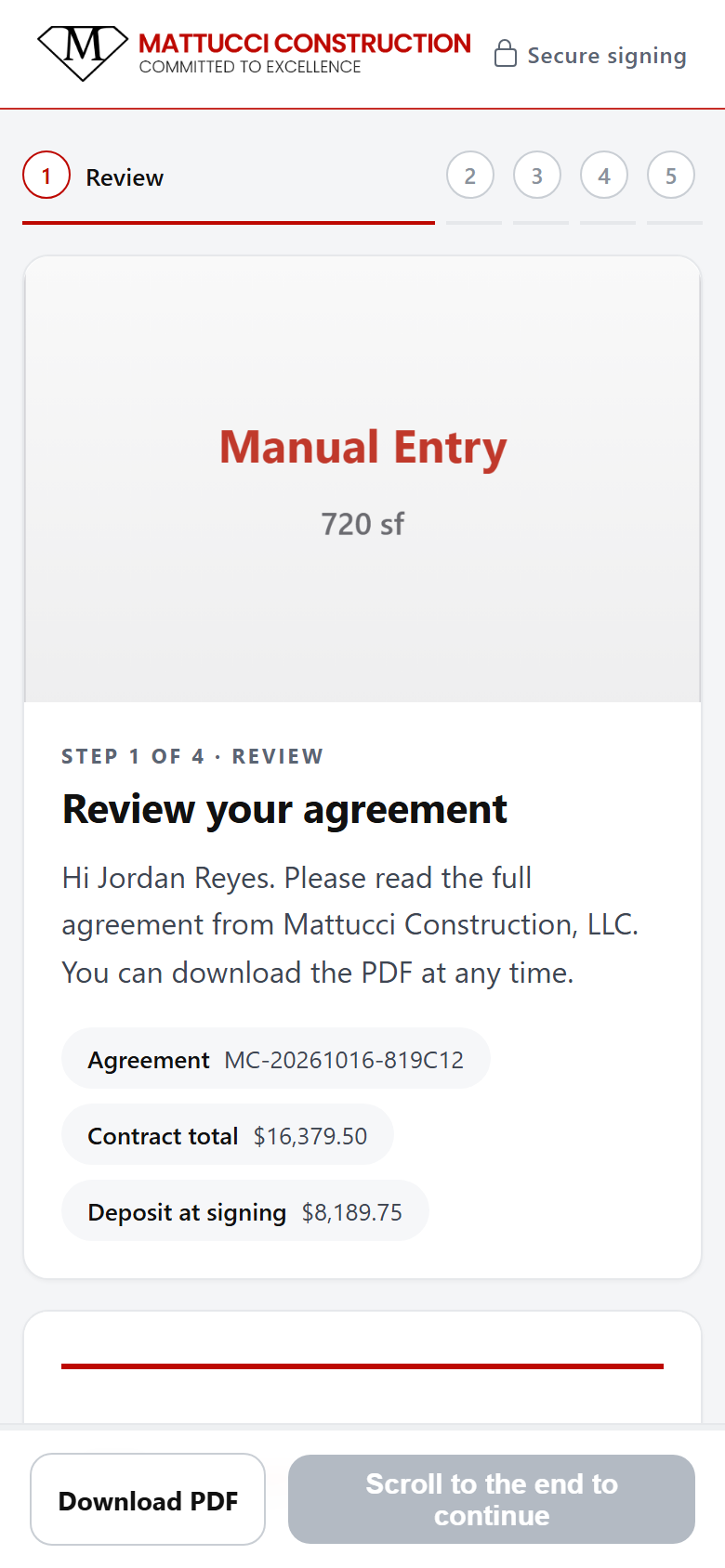
Step 1 review the agreement
1 · Review
End of agreement, Continue enabled
1 · Scrolled to the end
Step 2 consent to electronic records
2 · Consent
Step 3 email me a code
3 · Verify
Email with 6-digit code
The code email
Code entered
3 · Code entered
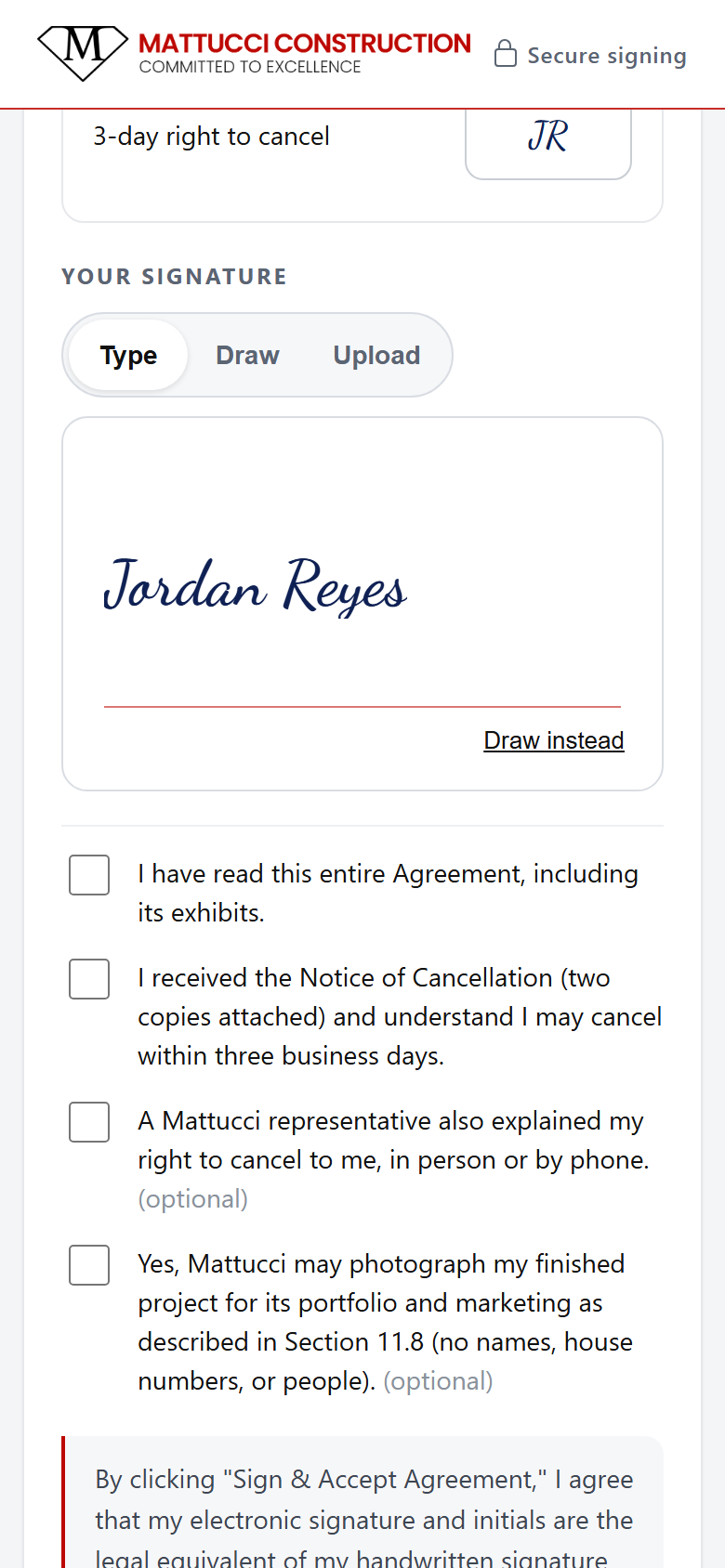
Typed signature
4 · Sign (type)
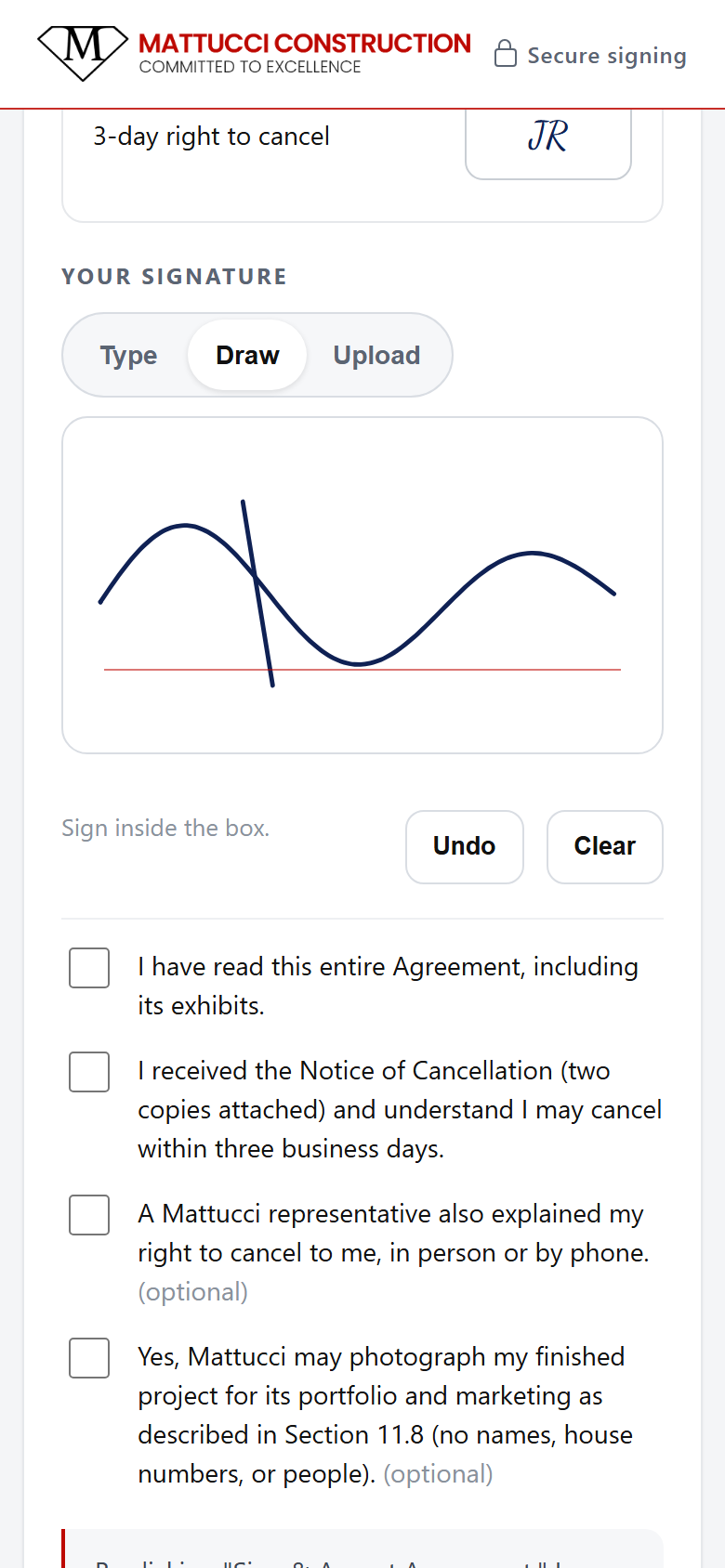
Drawn signature
4 · Sign (draw)
Initials and checkboxes
4 · Initials & checkboxes
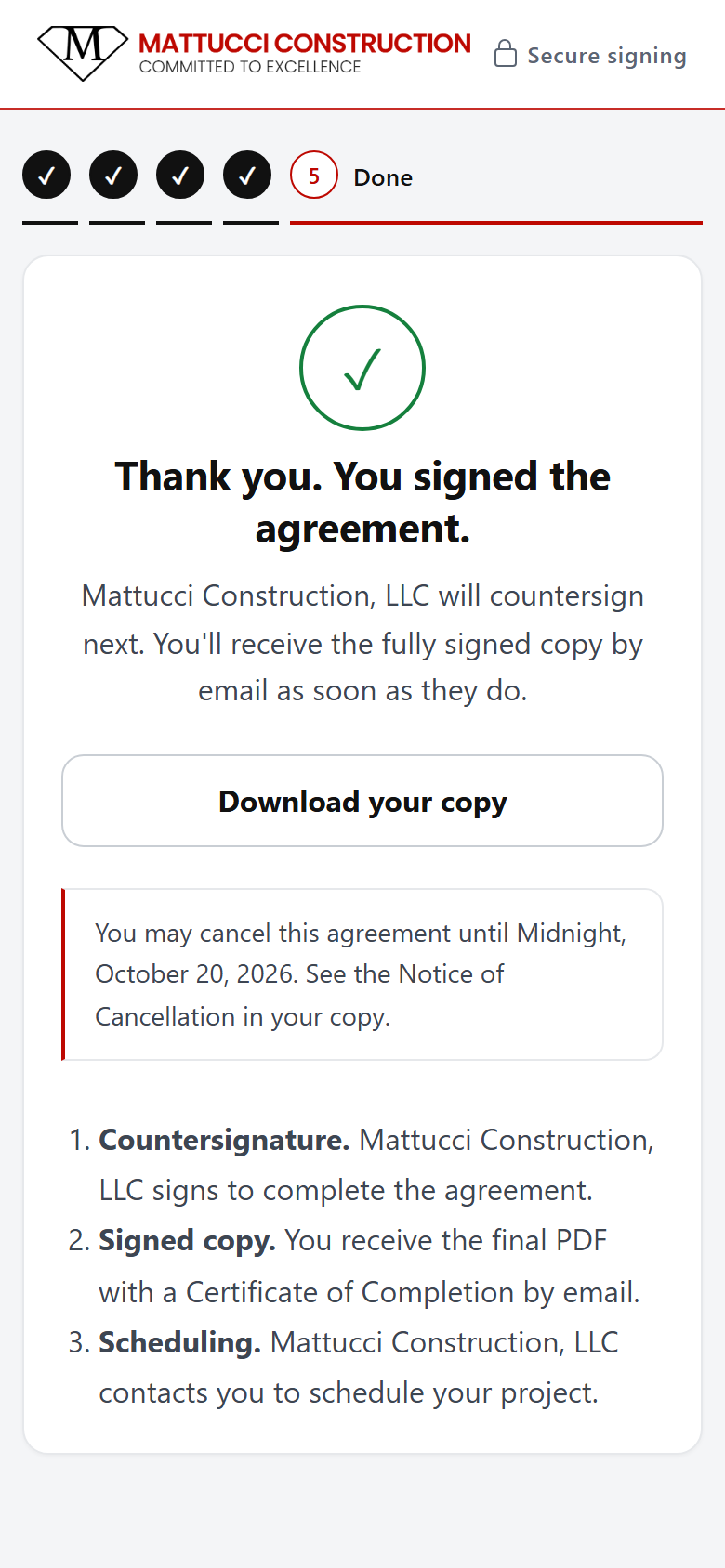
Done screen
5 · Done
Notice of cancellation email
Notice of Cancellation email
Step 4 · You

You countersign & get the signed contract

When the customer signs, you get a "ready to countersign" email.
1Countersign

  1. Open CRM → Agreements → the agreement (for now use donovanplatform.com/dashboard/agreements; see the note at the end).
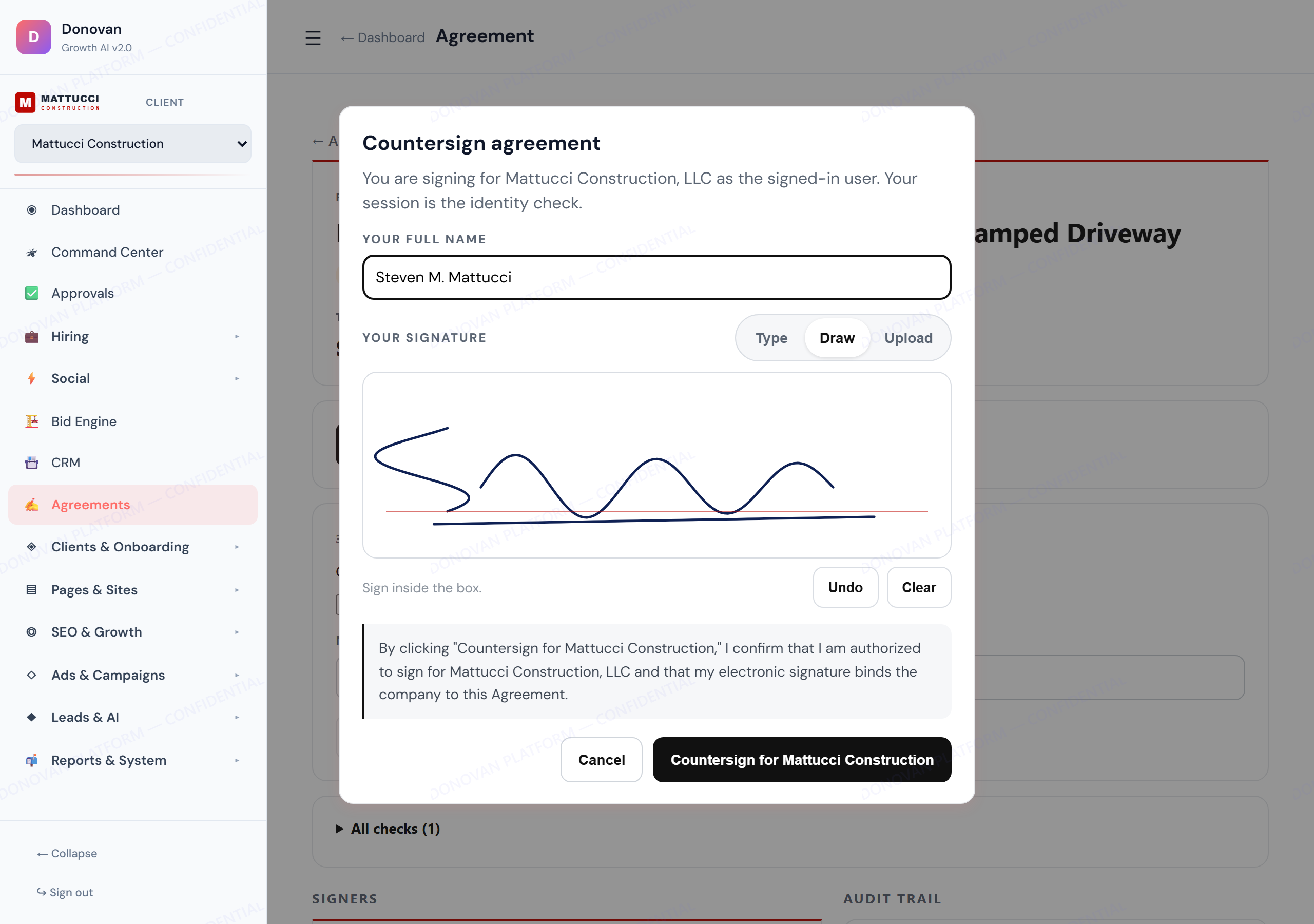
  2. Tap Countersign, type your name, sign, confirm.
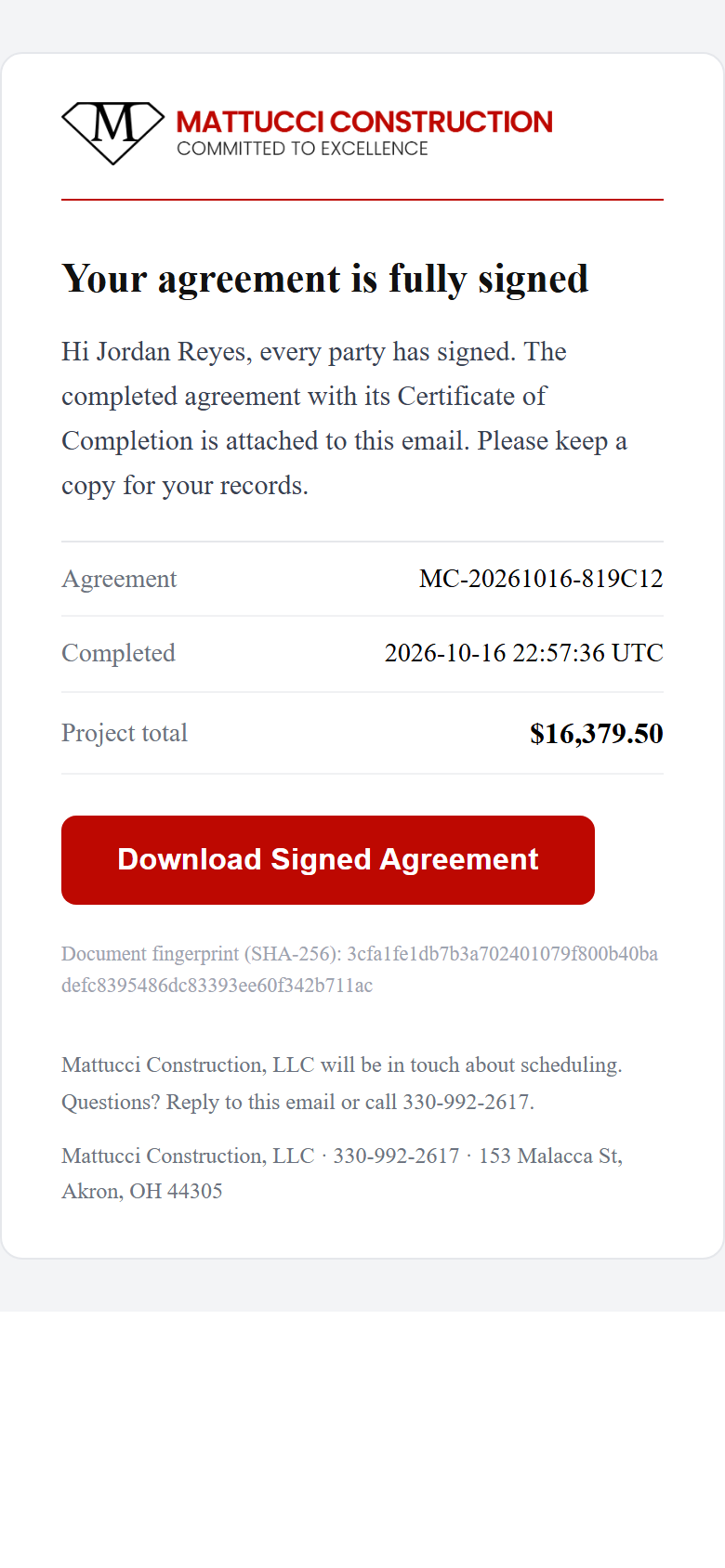
  3. The final PDF is built and emailed to the customer, you and Steve.
Who can countersignMason, Steve, or a user with owner access. Other admins see a clear "not authorized" message.
Countersign window with signature pad

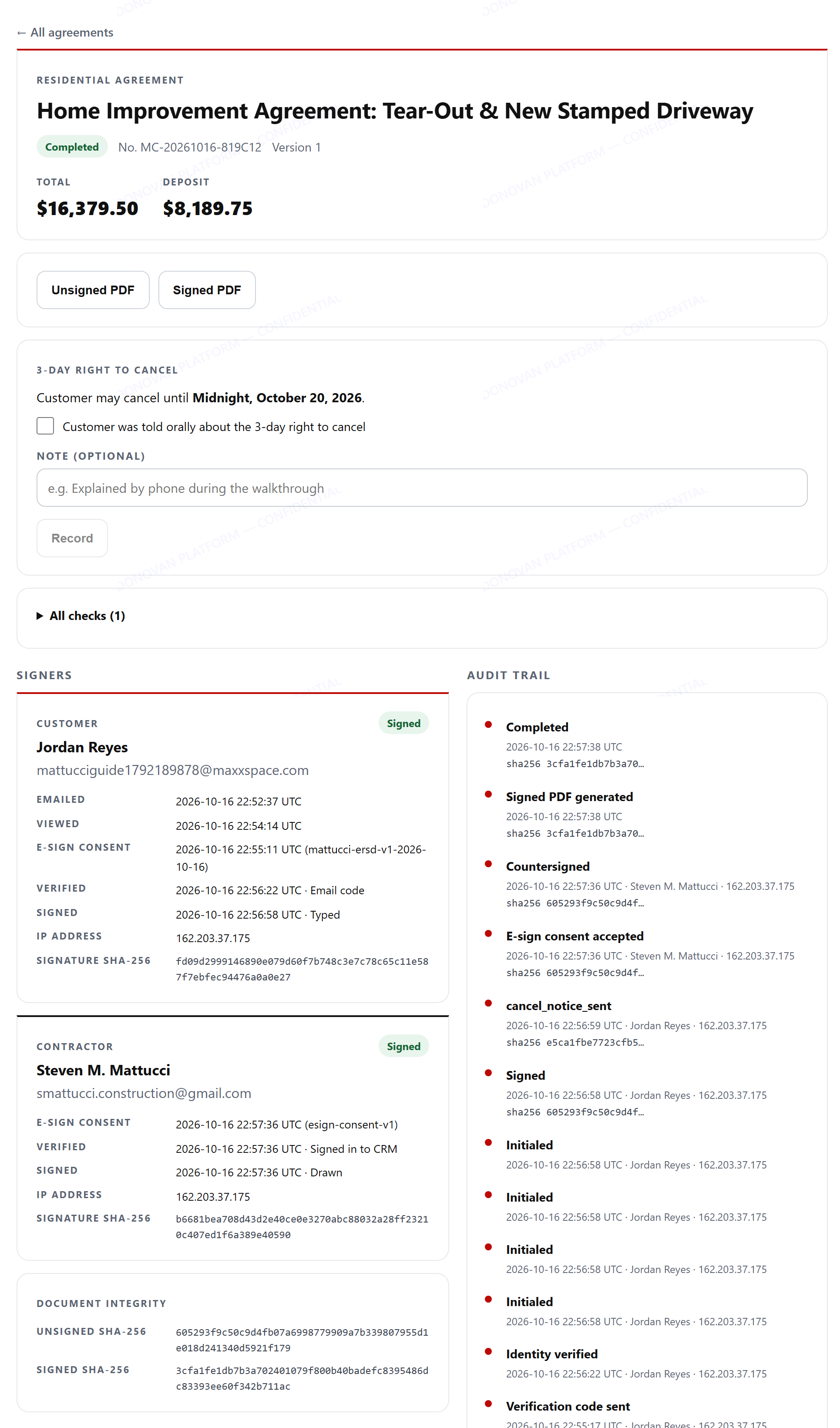
2Completed

  1. Status turns Completed.
  2. Download signed gets the final PDF any time.
  3. Signed PDFs are stored privately; every download link is fresh and short-lived.
Agreement detail completed with audit trail

3The signed PDF

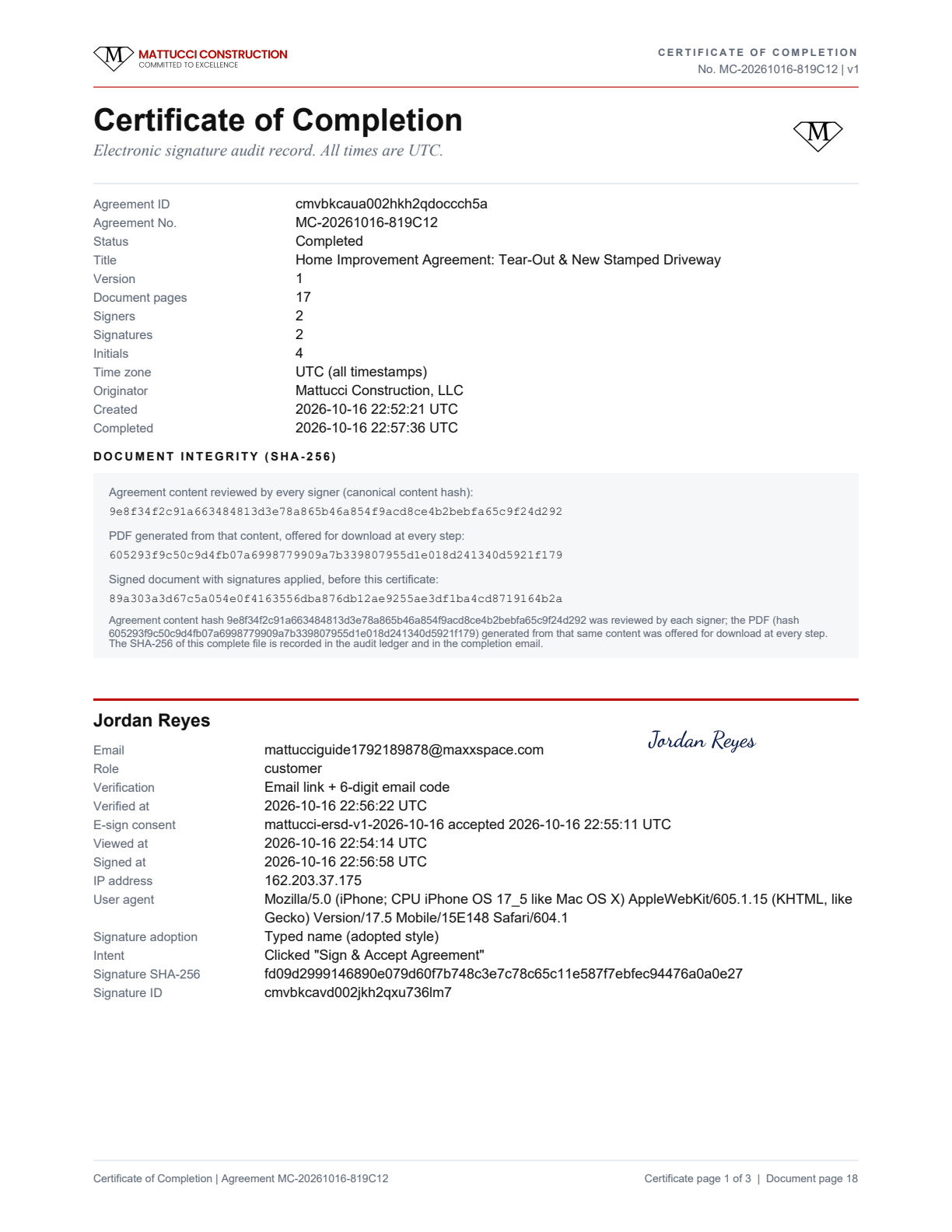
Signatures and initials are stamped in, and a Certificate of Completion page lists every step: who, when (UTC), IP address, device, how they were verified, and the document fingerprints (SHA-256) before and after signing.
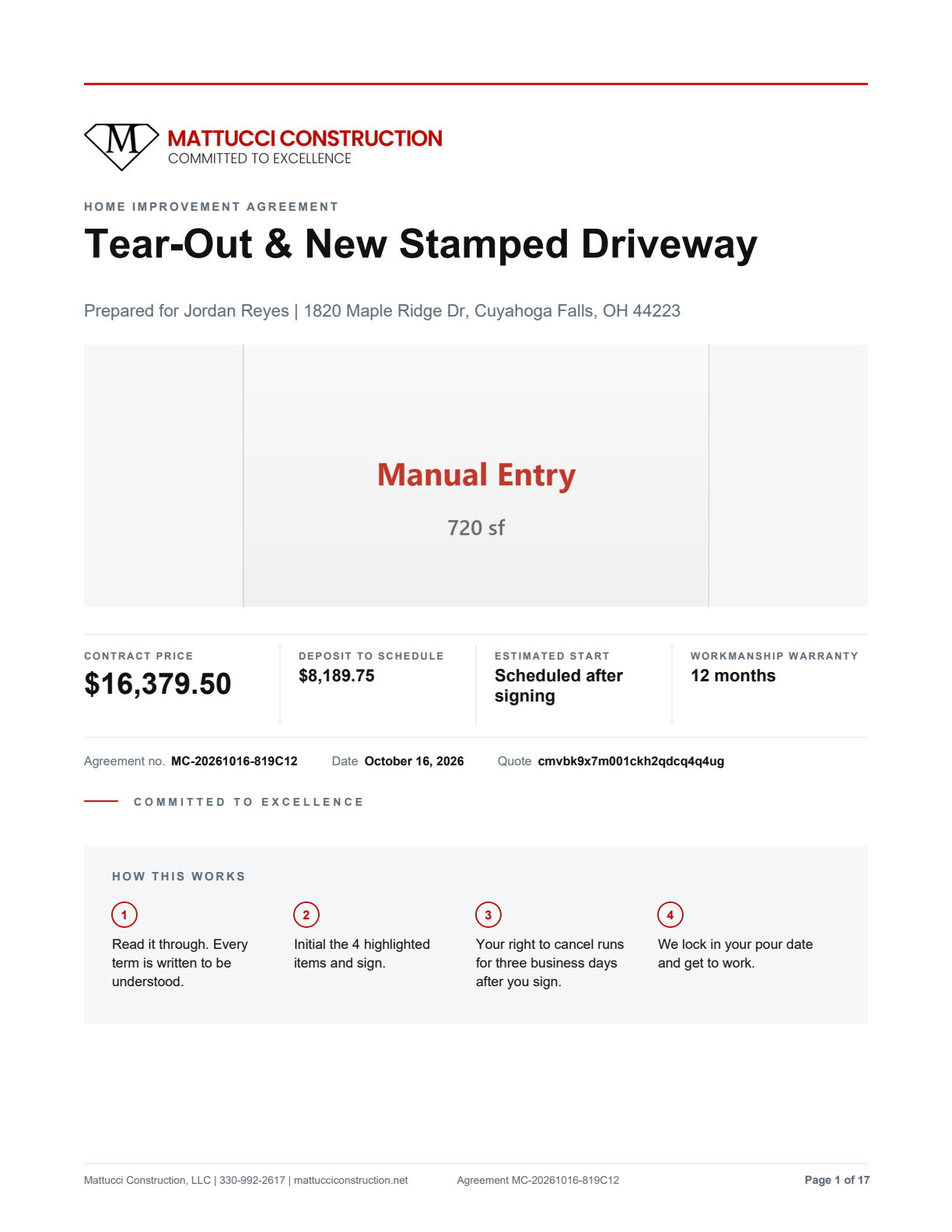
Signed agreement page 1
Page 1
Certificate of completion page
Certificate of Completion
Signed copy email with PDF attached
Signed copy email (PDF attached)
RemindersUnsigned customers get automatic reminders 2, 5 and 10 days after sending, and a notice 3 days before the link expires. You can also tap Remind.
Void / New versionChanged the price? New version replaces the agreement and voids the old link. Void cancels it with a reason.
Where PDFs liveAgreements → the agreement → Download unsigned / Download signed. The customer's emailed link always works too.
Good to know

What the contract knows

The agreement is written from the accepted quote. You never edit a Word file.

What changesWhat the contract does
Residential vs commercialTwo separate documents: a Home Improvement Agreement for homeowners, a subcontract for commercial work.
Job typeDriveway, patio, walkway, steps, garage, foundation, wall, parking lot, curb, ADA each add their own clauses.
Stamped / colored / exposedAdds the color-variation clause, which the customer initials.
Tear-outAdds removal and haul-off terms. Thickness sets control-joint spacing.
$25,000 and upAdds the Ohio Home Construction Service Suppliers Act items (tax ID, insurance, dates, excess-cost choice). It will not send until those are filled in.
SeasonNovember to March adds cold-weather terms; June to August adds hot-weather terms.
Ohio 3-day cancelEvery residential agreement carries the notice and two cancellation forms. Dates are filled in at signing. The deposit is not processed until the cancel window passes.
DefaultsDeposit from the quote (default 50%; the system flags anything over 33% as an advisory). 1-year workmanship warranty. Summit County venue.
Do these once

Before first real use

Notes from the test run

  • On crm.mattucciconstruction.net, opening a single agreement (Agreements → click a row) currently stays on "Loading workspace…". The list works. Until the fix ships, open the agreement at donovanplatform.com/dashboard/agreements with the same login; countersigning there works (that is how this run was finished).
  • When the size is typed in (no photo), the contract cover shows a gray "Manual Entry · 720 sf" card instead of a picture. Measuring from the satellite view or a photo gives a real cover image.
  • The signing email and sign page say "Deposit due at signing", while the contract says the deposit is not processed until the 3-day cancel window ends. The wording will be aligned.